
Browser-based RAW culling — nothing to install
Cull 1,000s of RAW photos in your browser — keep or reject in one keystroke.
Import the whole shoot, fly through keeps and rejects with the keyboard, make light non-destructive edits, and deliver — export the winners or send clients a private gallery link. 40+ camera RAW formats decode right in your browser, and originals are backed up to your cloud storage.
7-day free trial on Starter · Unlimited projects on every plan
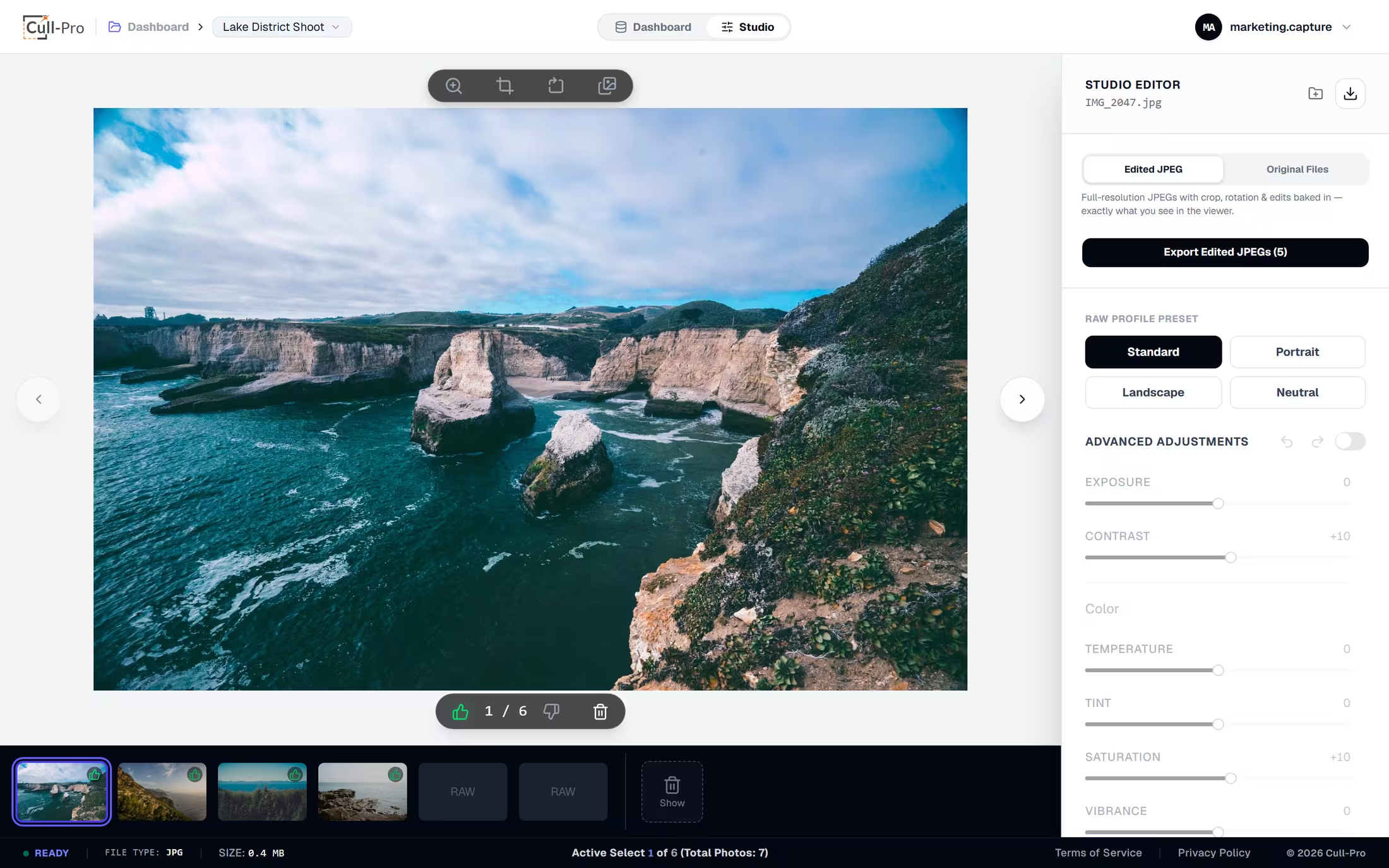
The Studio view — keep, reject or flag with single keystrokes while every decision auto-saves.
How it works
From memory card to deliverable in three steps
No catalogs to maintain, no imports that take all night. Get in, make the calls, ship the keepers.
Import the whole shoot
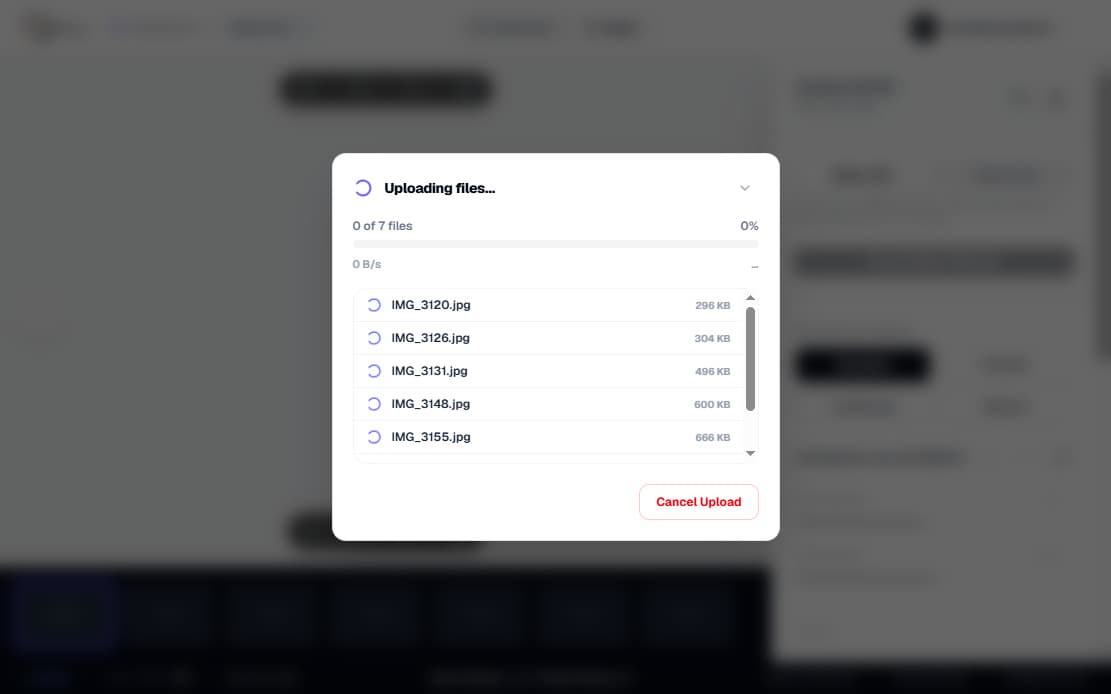
Add files one at a time, import entire folders, or drag and drop them anywhere on the window. Camera RAW from Canon, Nikon, Sony, Fuji, Panasonic, Olympus and more — 40+ formats in total — plus TIFF, JPEG, PNG, WEBP, GIF, BMP and AVIF. Uploads run to your cloud storage with per-file progress you can watch or cancel.
Cull at keyboard speed
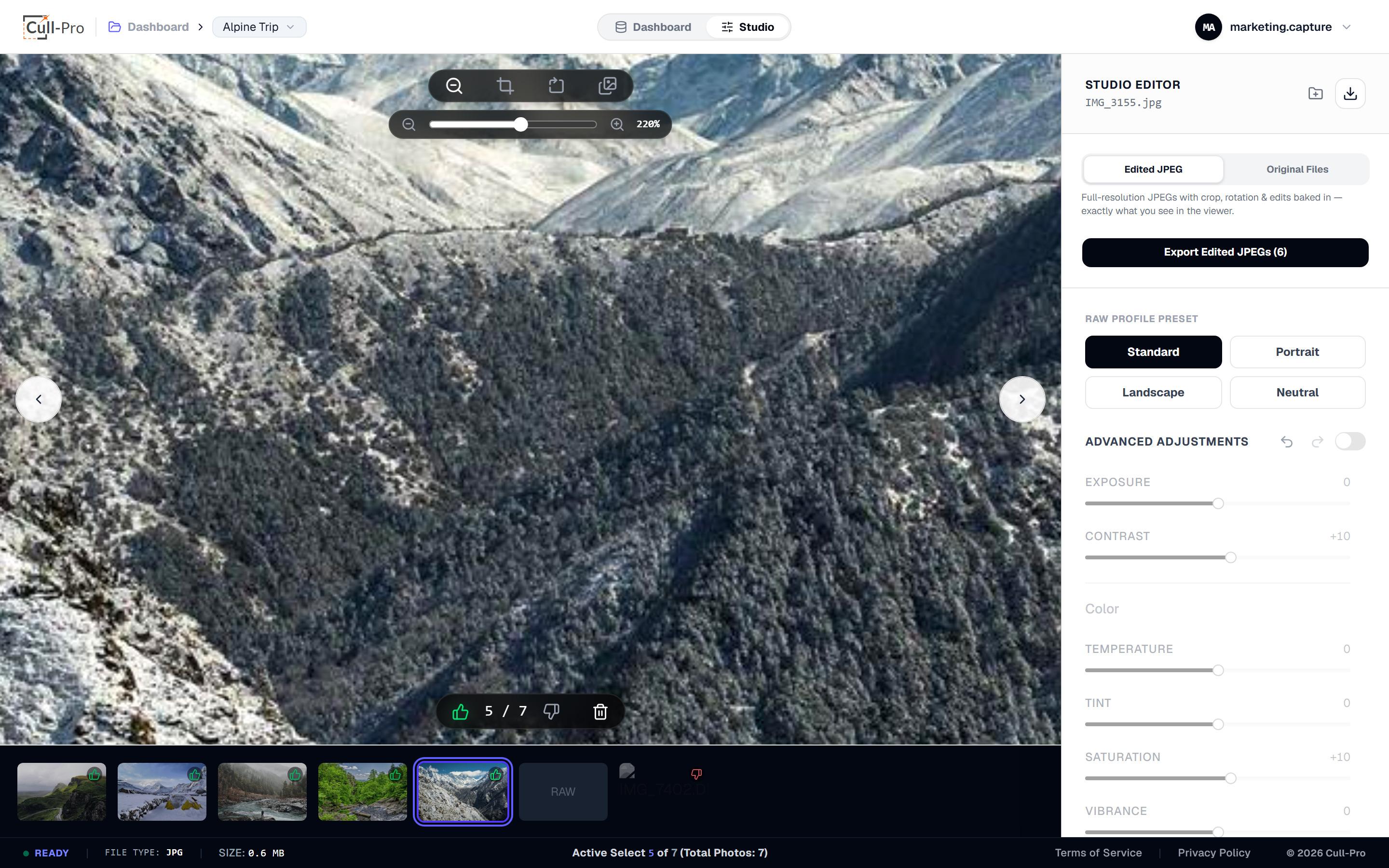
L or F keeps, K or X rejects, Delete flags a photo for deletion — and the arrow keys fly you through the shoot. Zoom up to +400%, pan pixel-to-pixel, and wipe-compare burst frames side by side.
Export & deliver
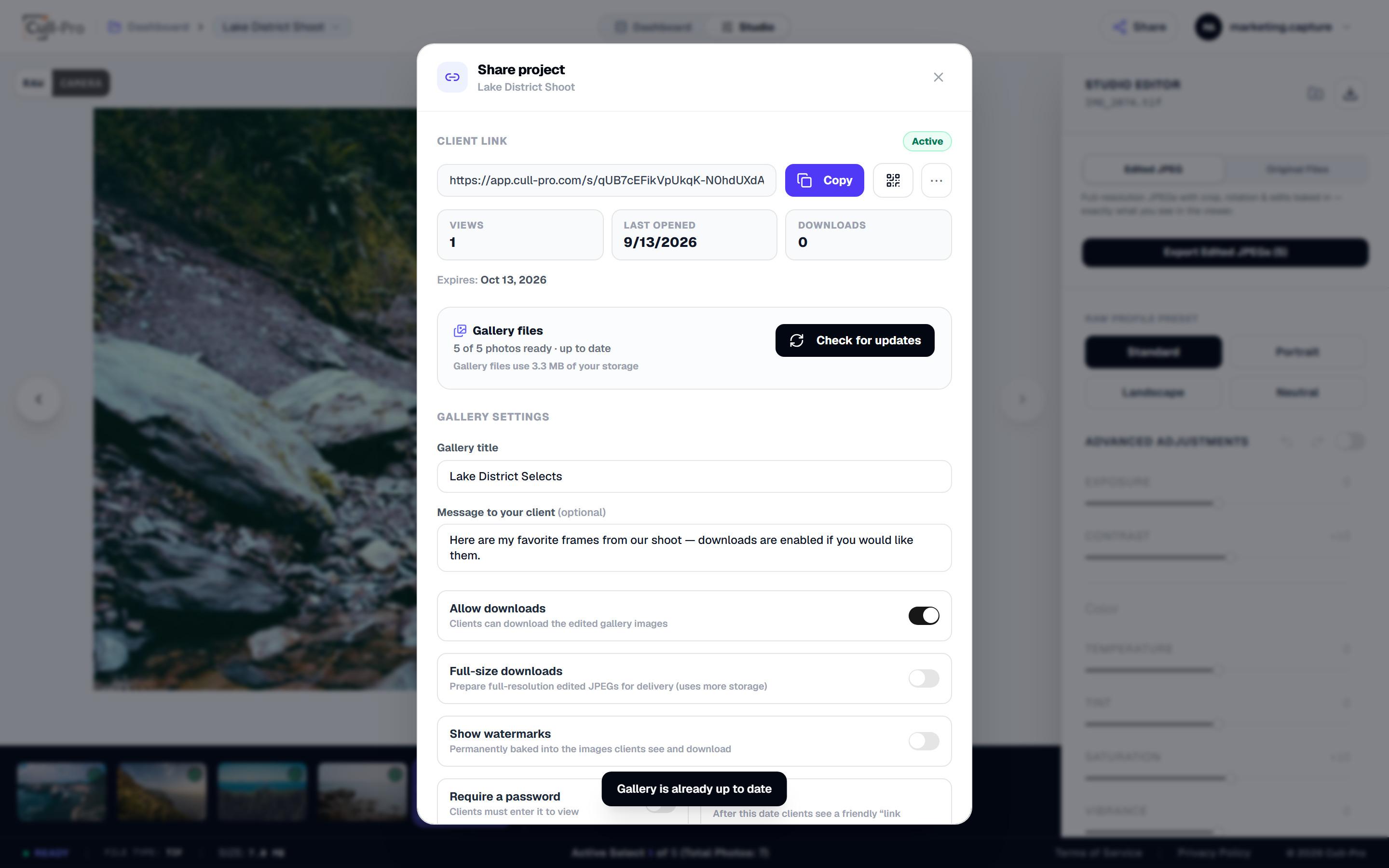
Download every flagged keeper as a ZIP of full-resolution edited JPEGs — or publish the project to a private client gallery link with optional password, baked watermarks and expiry. Originals stay one tap away for archive.
What you get
Everything a fast cull needs — nothing it doesn't
Cull-Pro is a culling-first workspace with the edits you actually reach for — and client delivery built in. The full breakdown lives on the features page.
Keyboard-first culling
Keep, reject and flag-for-deletion with single keystrokes. Binary decisions, no star ratings to debate — every flag syncs to the cloud as you go.
Non-destructive edits
Ten essential adjustments, four one-tap looks, crop with aspect presets and 90° rotation. Originals are never modified — edits bake in only at export.
True in-browser RAW decode
Decode 40+ camera RAW formats — Canon, Nikon, Sony, Fuji and more — at full resolution inside a background Web Worker, with a no-download fast path for CR2, DNG and TIFF.
Cloud-backed projects
Originals are stored in your account's cloud storage. Close the tab, switch devices, and continue from the last photo you had open.
Flexible export
Export edited full-resolution JPEGs with crop, rotation and adjustments baked in — or download pristine originals for archive.
Client gallery delivery
Send finished sets as a private gallery link — optional password, baked watermarks, expiry and download controls, with a QR code and view stats. No client accounts needed.
Inside the Studio
A viewer built for the speed of a shoot
Culling
Fly through the shoot, one decision at a time
The viewer is built for momentum: the filmstrip keeps your place, hidden photos collapse into a flagged section you can restore from anytime, and every keep, reject and edit is saved to the cloud per file.
- L / F keep · K / X reject · Delete flags for deletion
- Restore any hidden photo instantly from the flagged section
- Filmstrip auto-scrolls to keep the active photo in view
- Bulk keep, reject, hide, restore and export from the dashboard
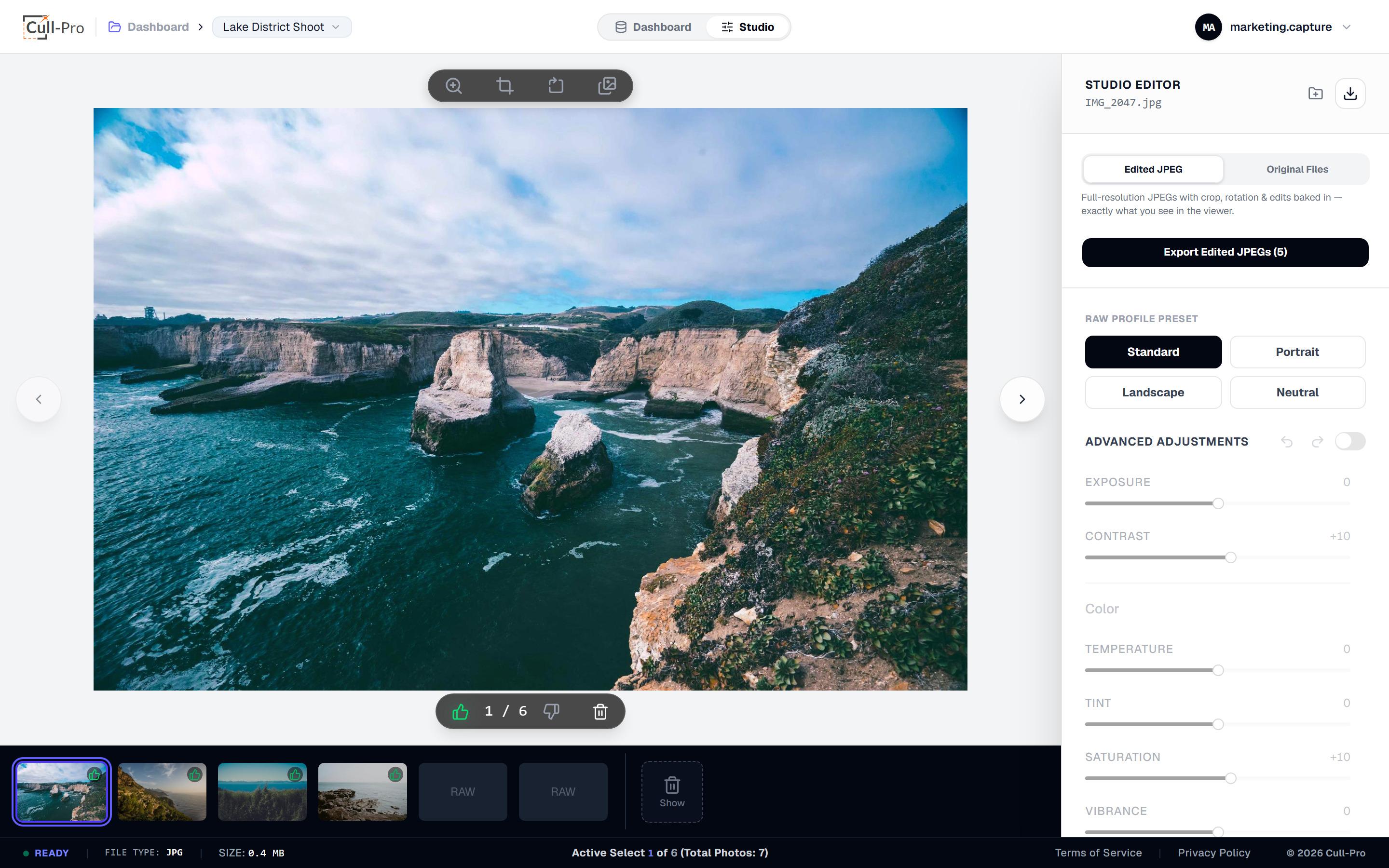
Editing
Clean edits without leaving the cull
Adjustments are straightforward and fast on purpose — enough to polish a keeper or match a set, without a grading suite you'll never finish credits in.
- 10 adjustments: exposure, contrast, temperature, tint, saturation, vibrance, highlights, shadows, sharpening, noise reduction
- Four one-tap base looks: Standard, Portrait, Landscape, Neutral
- Crop with 1:1, 4:3, 3:4 and 16:9 presets — or a custom ratio — plus 90° rotation
- Live preview, 100-step undo/redo per photo, auto-saved to the cloud
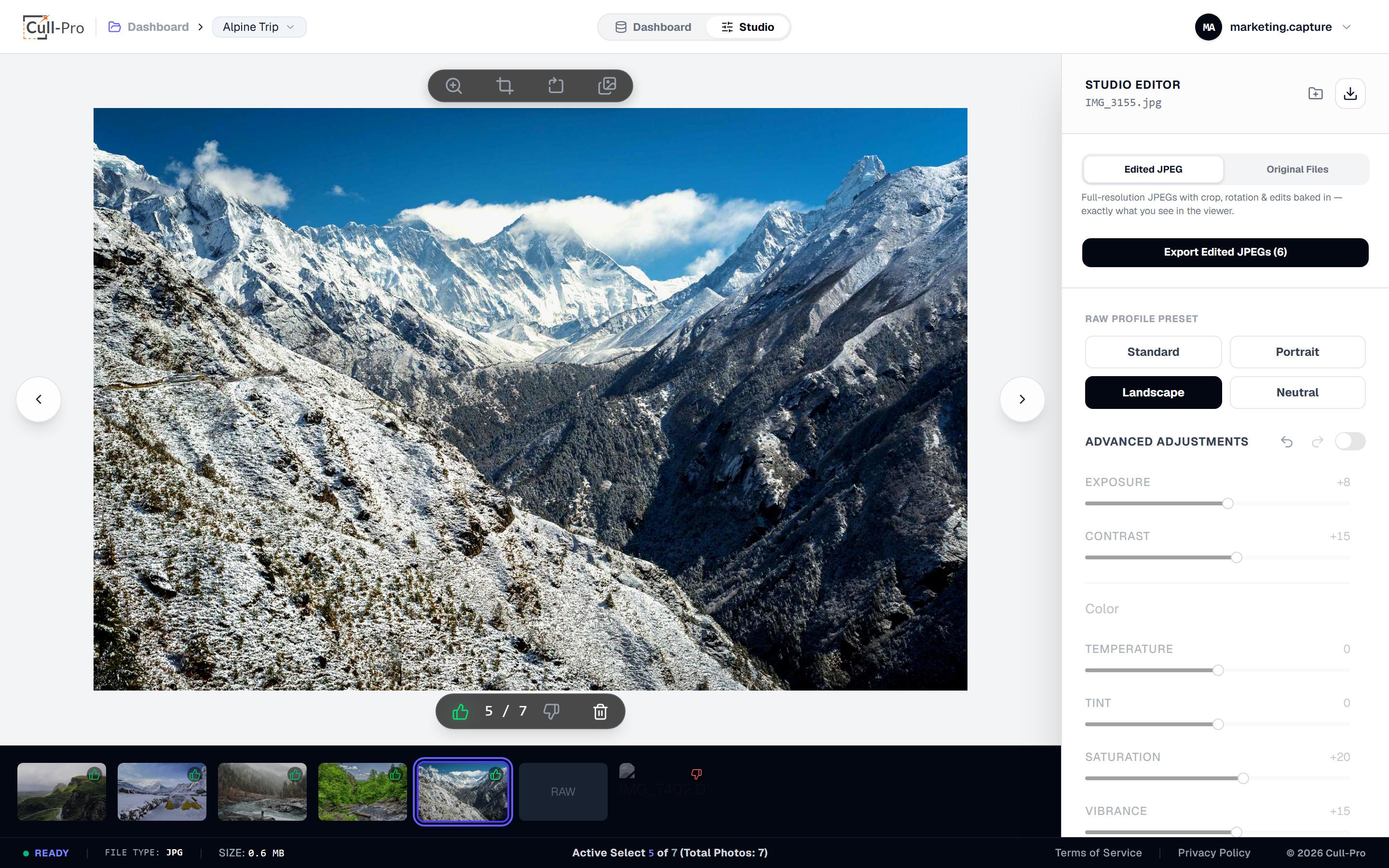
RAW engine
RAW decoding that runs in your browser
Your photos aren't shipped to a render farm to be previewed. A fast path handles CR2, DNG and TIFF without a WebAssembly download, and LibRaw 0.22 (WebAssembly) decodes the rest of the 40+ RAW list — Canon, Nikon, Sony, Fuji, Panasonic, Olympus, Pentax, Sigma, Phase One and more — all on your machine, in a background worker.
- 40+ RAW containers decoded at full resolution in a Web Worker
- RAW ↔ Camera preview toggle: compare the raw render with the camera's embedded JPEG
- Huge files protected: 40 MP+ sensors decode at half size to bound browser memory
- Exports always come from full-resolution RAW data — never from the preview
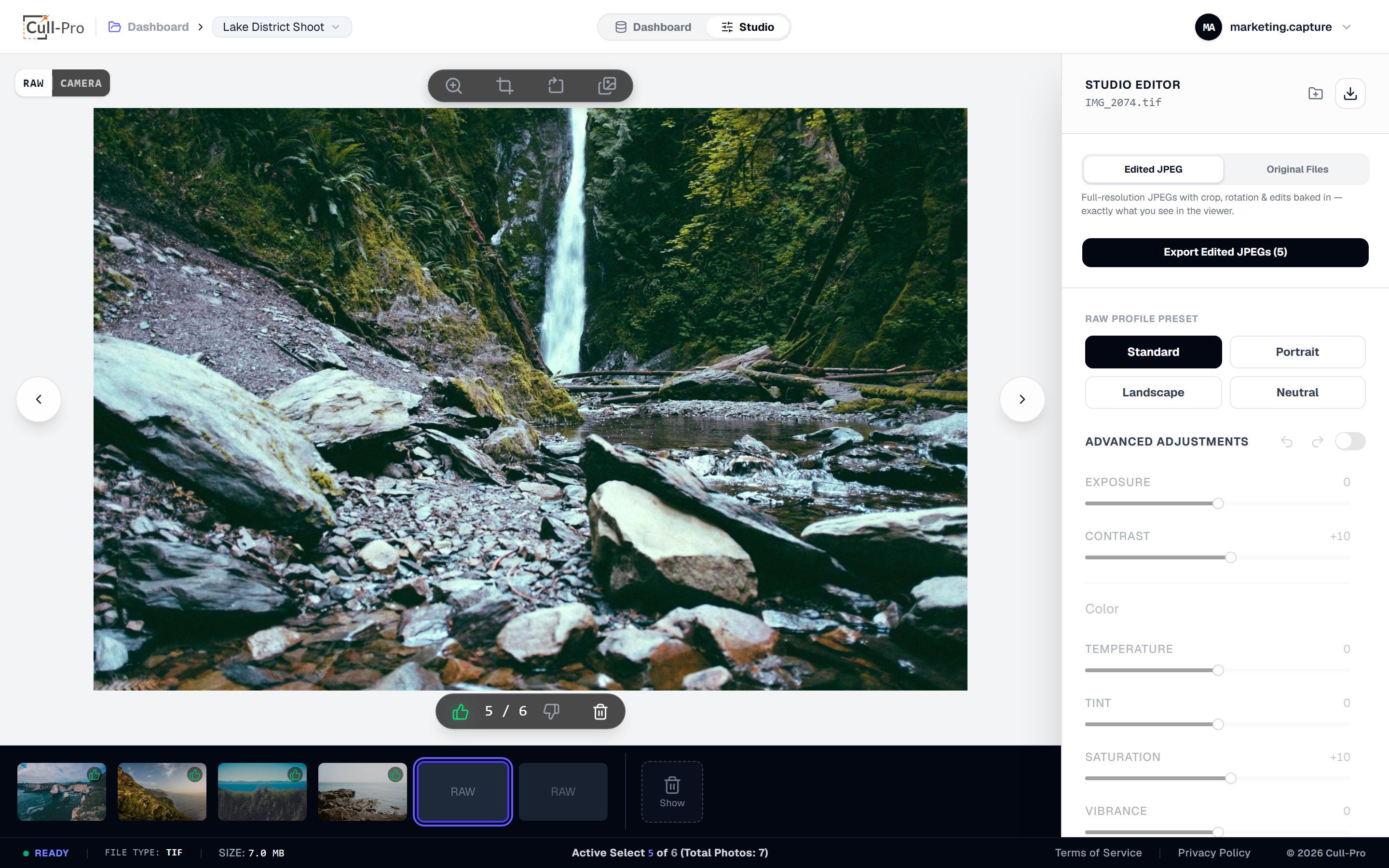
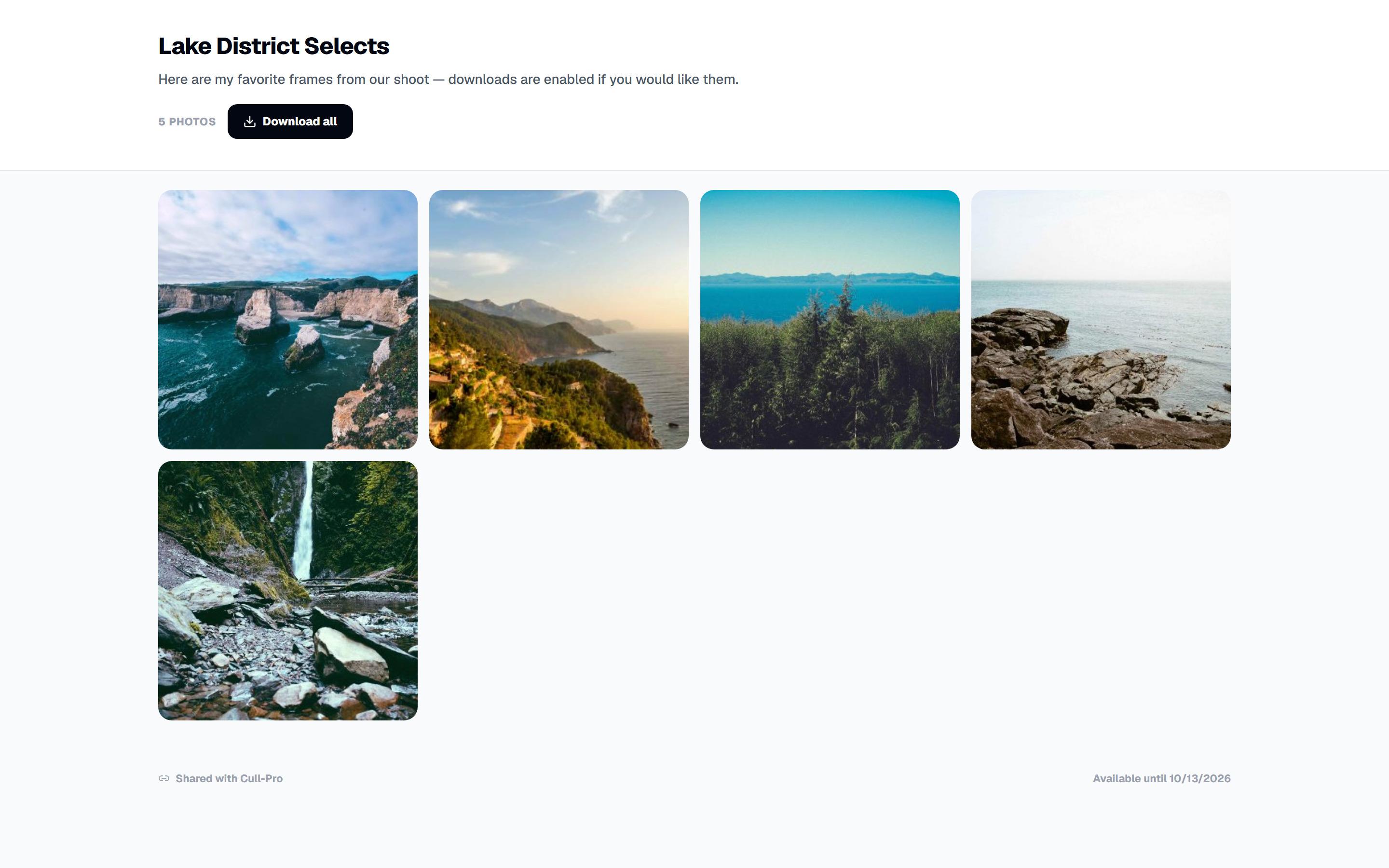
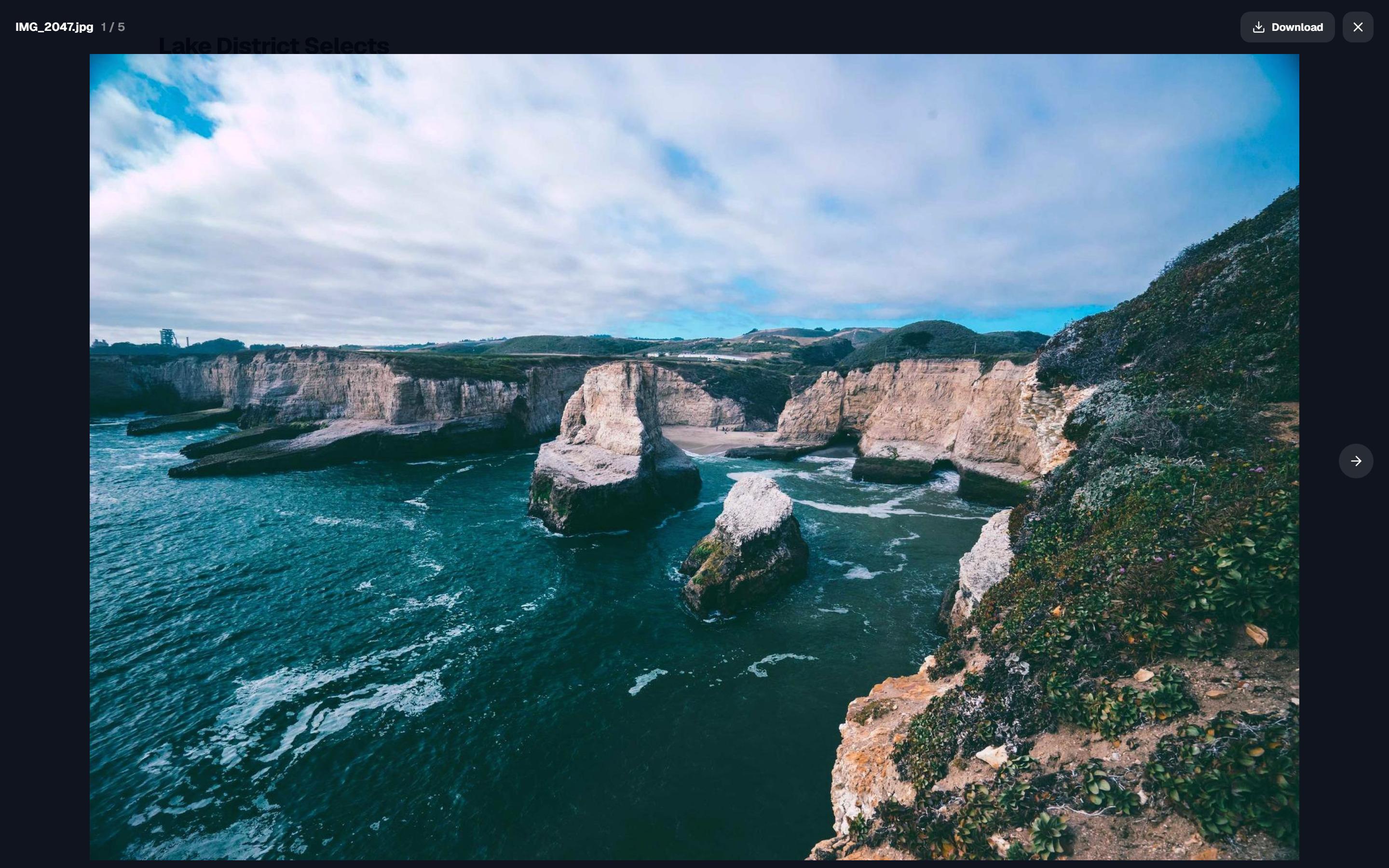
Client delivery
Finished photos, delivered as a private gallery link
When the culling is done, share the project itself. Clients get a clean, responsive gallery on any device — no app, no account, no downloads required unless you allow them.
- One private link per project — regenerate it anytime to kill the old URL instantly
- Optional password, with automatic lockout after repeated failed attempts
- Baked watermarks with your own text — in every image clients can see or save
- Expiry from 24 hours to never, with a friendly “link expired” page
- Downloads on or off — web-size JPEGs by default, full-size when you prepare them
- QR code, view stats, and galleries that stay out of search engines
Clients only ever receive edited JPEGs — your RAW originals are never exposed. Sharing is read-only delivery, not collaboration.
See every sharing optionWorks across your devices
Close the tab. Come back whenever.
Originals live in your account's cloud storage, and your keep/reject flags, edits and last-open photo sync as you work. Start on your desktop at the studio, finish the cull on your laptop that night — the project is exactly where you left it.
Your originals, backed up
Every upload is stored in your account with server-enforced storage limits you can track on the usage page.
Any modern browser, any desktop
No install, no dongle, no license server. Chromium, Safari and Firefox class browsers are all supported.
Mobile-friendly viewer
On phones the edit panel becomes a collapsible bottom sheet with Adjustments and Export tabs — handy for reviewing on the go.
Cull-Pro needs an internet connection — your library lives in your cloud storage, not on the device.
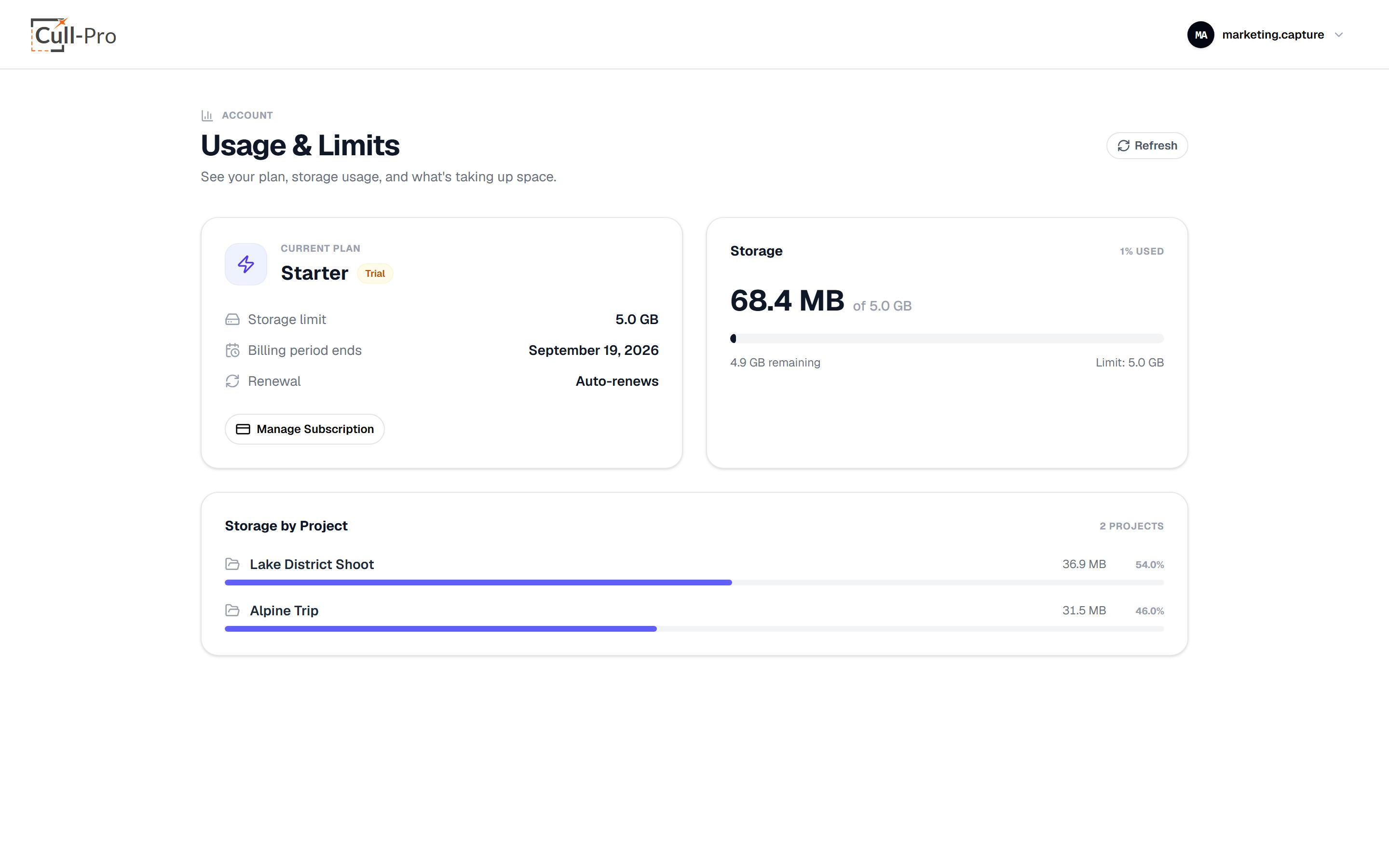
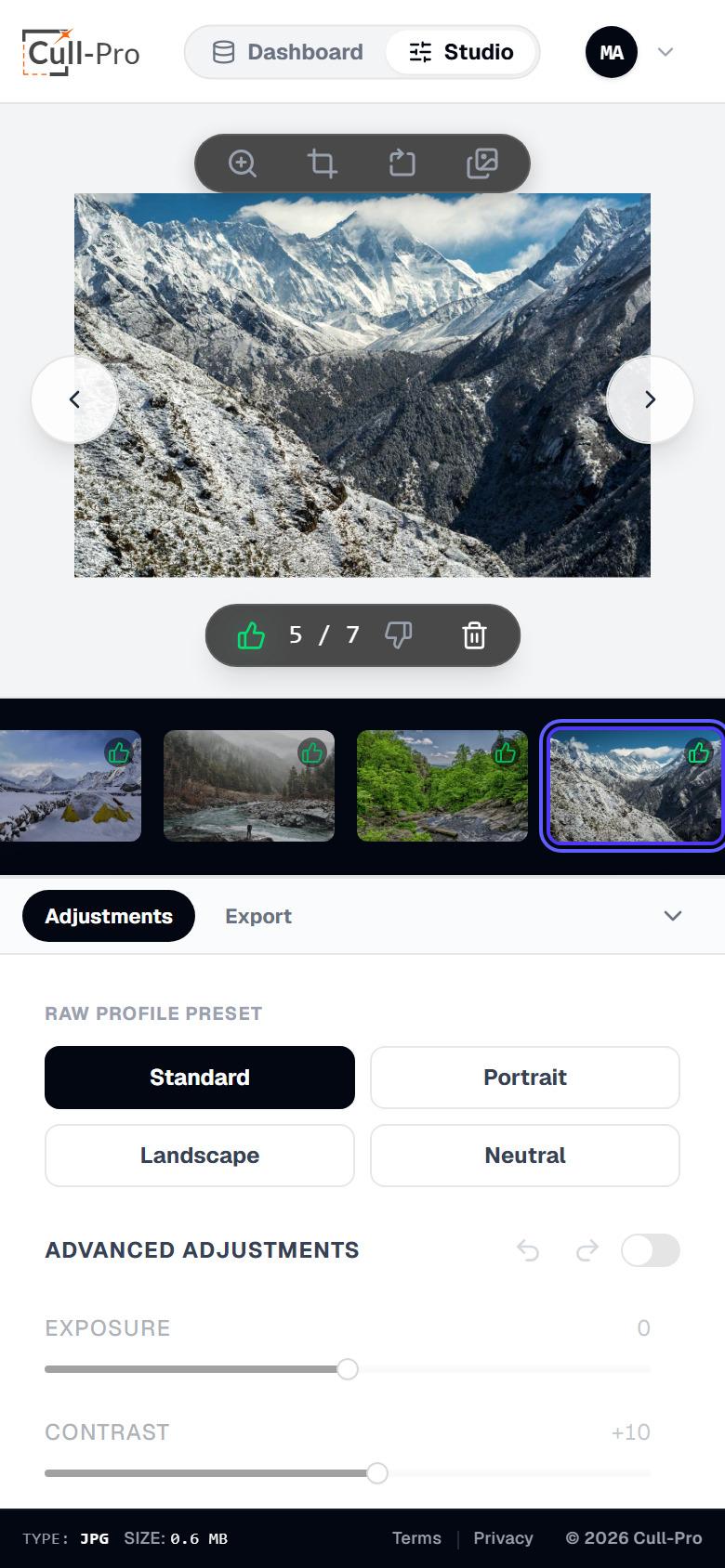
Pricing
One feature set. Pick your storage.
All plans include unlimited projects and every feature — including client gallery sharing. The only difference is how much storage you need.
Professional
$49/mo
250 GB storage
For heavy shooting schedules with multiple active clients.
Get Professional- Unlimited projects
- In-browser RAW decoding for 40+ camera formats
- Non-destructive editing
- Fast keep/reject culling
- Client gallery sharing
- Export edited JPEGs or originals
All prices in USD. Cancel anytime.
See full pricing detailsFAQ
Questions, answered plainly
Ready to fly through your next cull?
Create an account, start the 7-day free trial on Starter, and get from memory card to deliverable without leaving your browser.
All prices in USD. Cancel anytime.