
Everything Cull-Pro does, in plain language
Cull-Pro is a culling-first workspace with the edits you actually reach for. Here is the complete inventory — including the honest scope of what “RAW support” means.
Every extension above imports and decodes in-browser — LibRaw 0.22 (900+ camera models), with a no-download fast path for CR2, DNG and TIFF. Exotic or encrypted files may fall back to the camera's embedded preview.
Get the whole shoot in — fast
- Bulk import or folder walk. Add files one at a time, import entire folders with the native picker, or drag and drop them anywhere on the app window.
- Formats: 40+ camera RAW containers — Canon, Nikon, Sony, Fuji, Panasonic, Olympus, Pentax, Samsung, Sigma, Minolta, Kodak, Phase One and more — plus TIFF, JPEG, PNG, WEBP, GIF, BMP and AVIF. RAW files decode with LibRaw 0.22 right in your browser.
- Duplicate protection. Files that are already in the project are skipped and counted in the upload summary.
- Cloud uploads you can steer. Per-file progress rows, live throughput and ETA, one-click retry for failures, and a cancel button that cleans up unfinished placeholders.
- Quota-aware. Storage limits are enforced per plan — if you hit the cap you get an upgrade prompt, not a silent failure.
Decide with one keystroke, not one menu
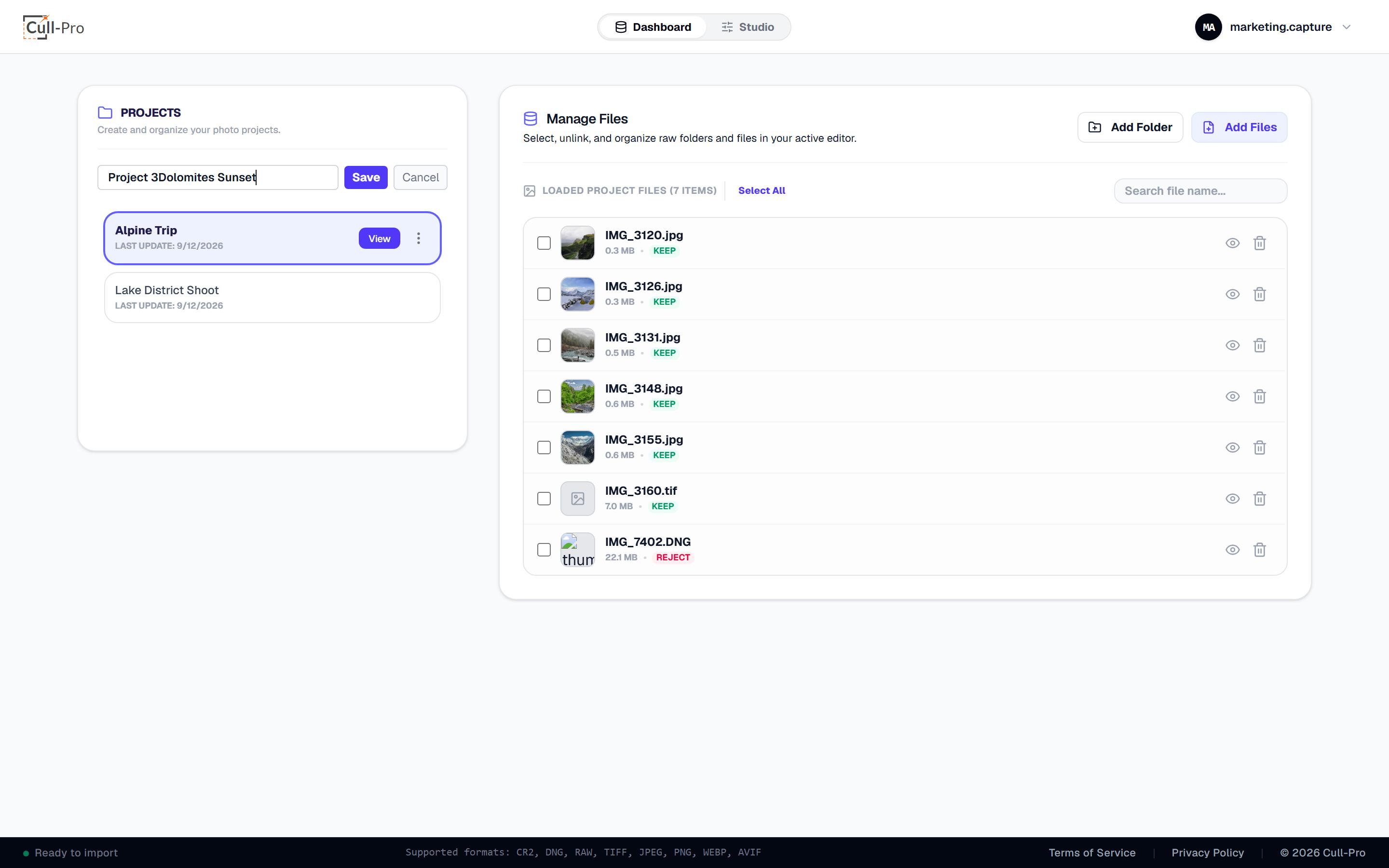
The decision model is deliberately binary: keep or reject, plus a hide flag for “not now, maybe never.” No star ratings to agonize over — and no automatic culling. You make the calls; Cull-Pro keeps up.
- Flagged photos collapse into a Hidden group — “Show Hidden (N)” reveals them grouped below your active photos, and any photo restores instantly.
- Verdicts persist per file in the cloud, and bulk keep / reject / hide / restore / remove / export actions are available from the dashboard.
- Filter the file list by filename, and export all keeps in one click.
Inspect every frame like you mean it
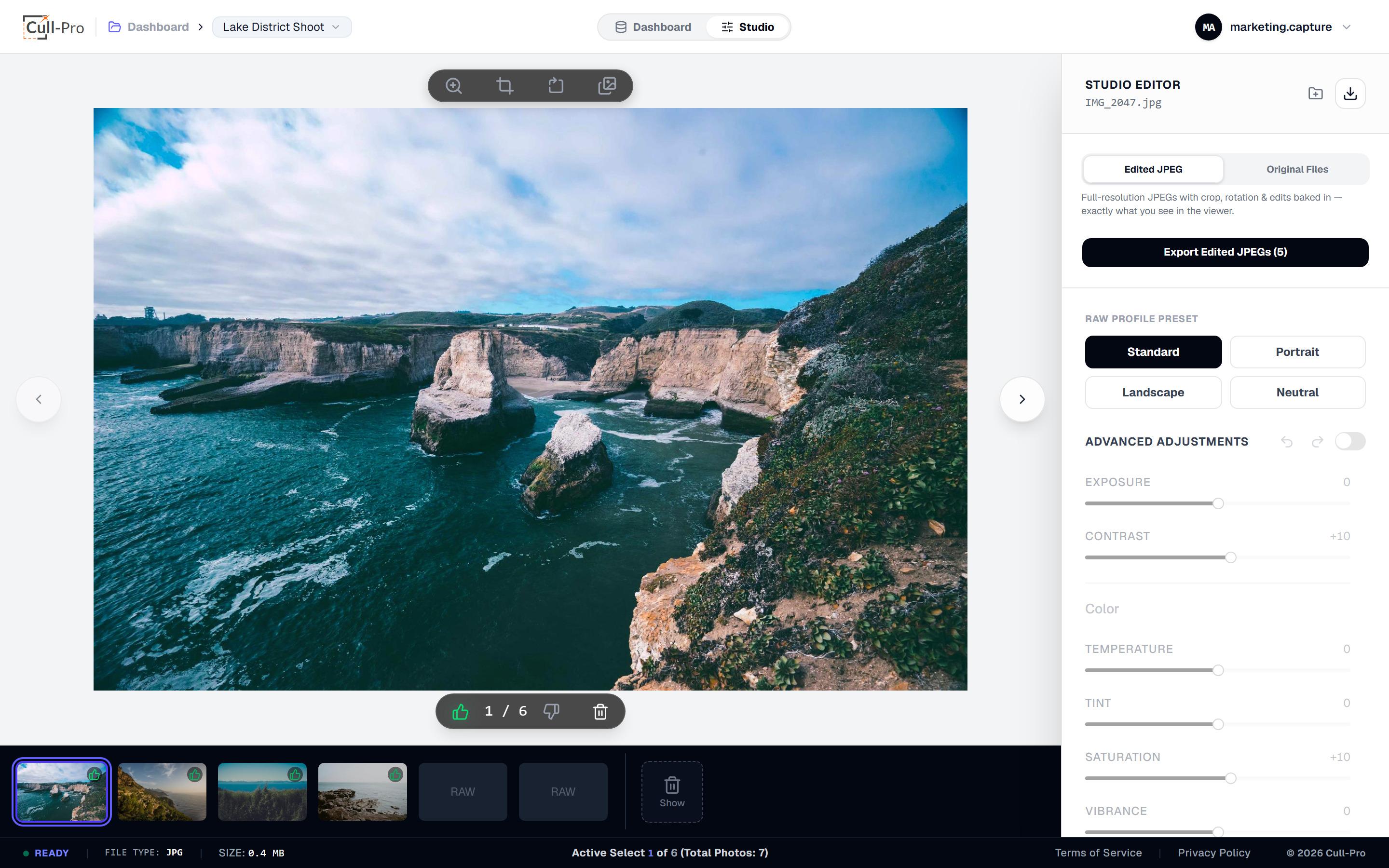
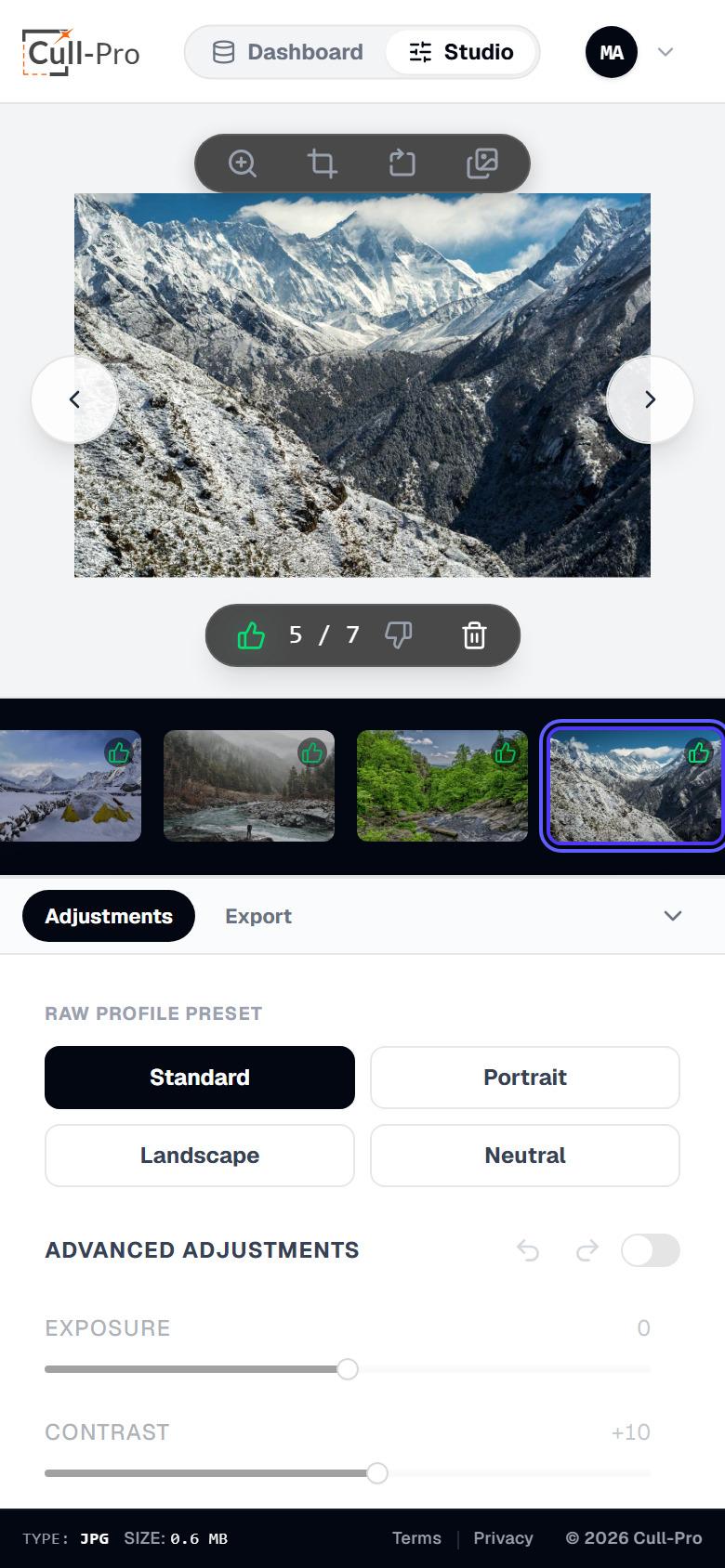
- Filmstrip that follows you. Thumbnails auto-scroll to keep the active photo in view — click any frame to jump there.
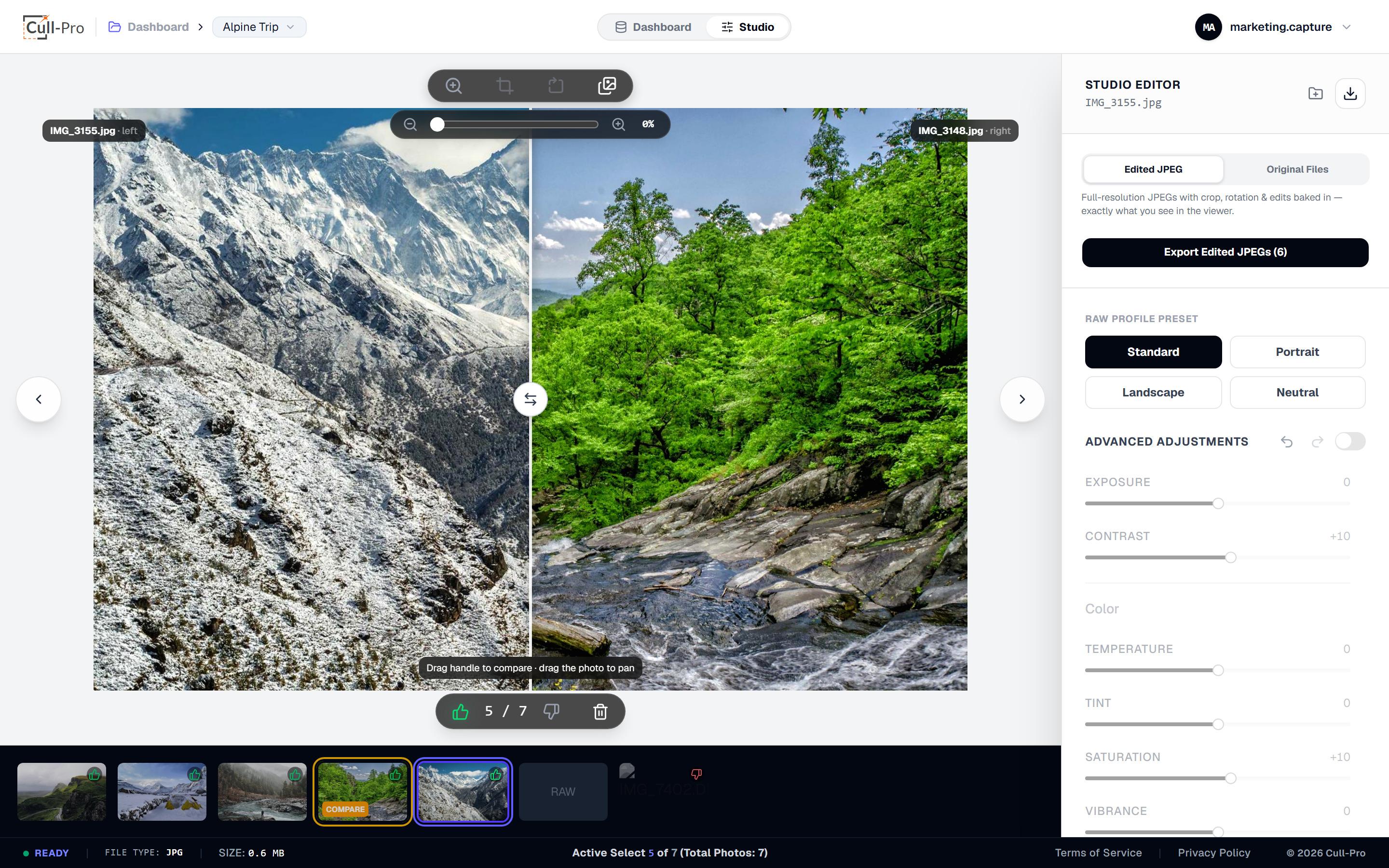
- Zoom up to +400%. Center-anchored zoom with a slider, plus click-drag panning for pixel-level checks.
- Compare two shots with a wipe. Drop into a side-by-side wipe against the adjacent frame (or pin a specific partner from the filmstrip). Each photo keeps its own edits, and zoom/pan stays synced while you flip between them.
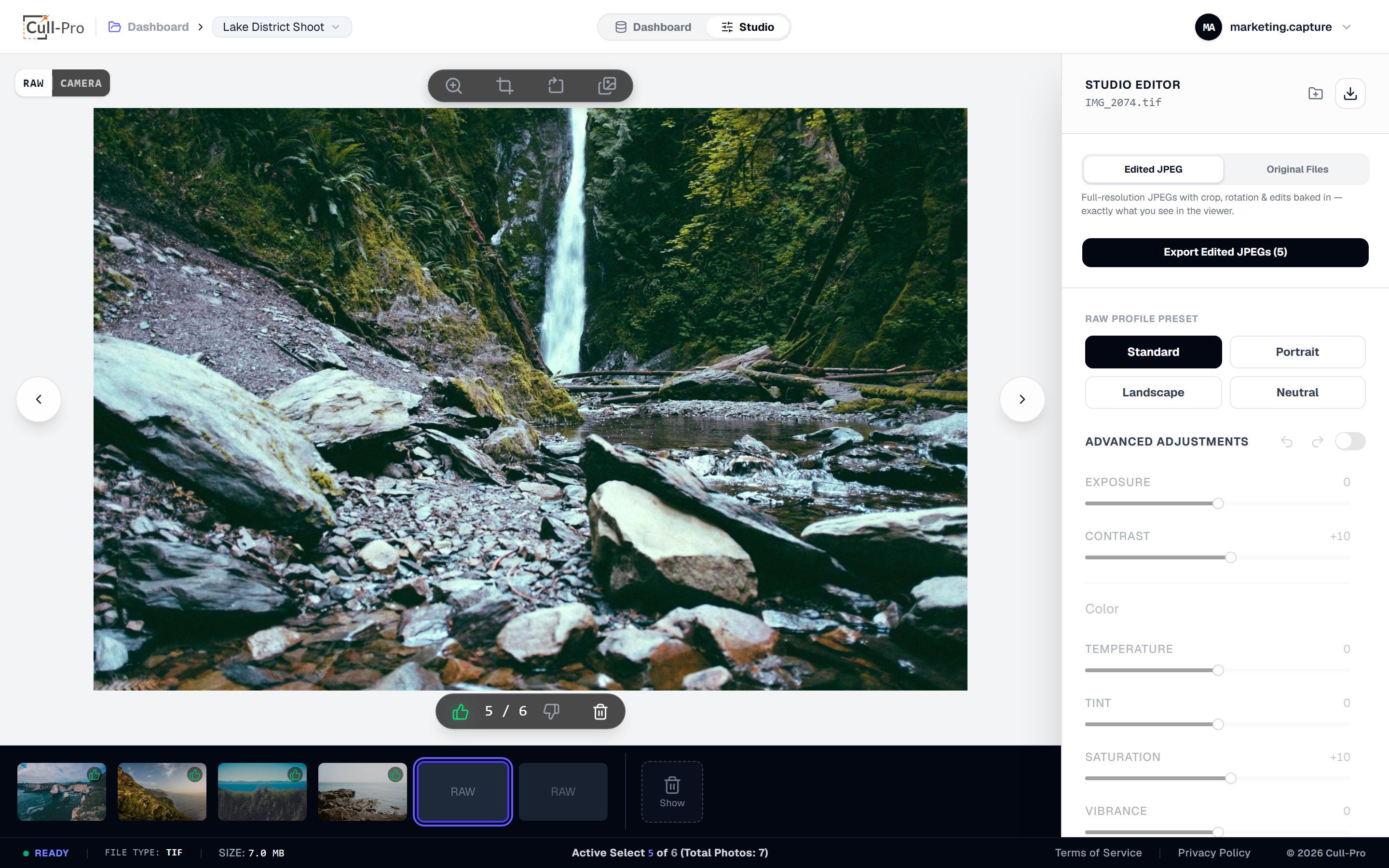
- RAW ↔ Camera toggle. For RAW files, flip between the decoded RAW render and the camera's embedded preview — exports always use the full-resolution RAW either way.
- Status, always visible. File type, size and your position in the shoot stay on screen while you work.
Clean, fast, essential adjustments
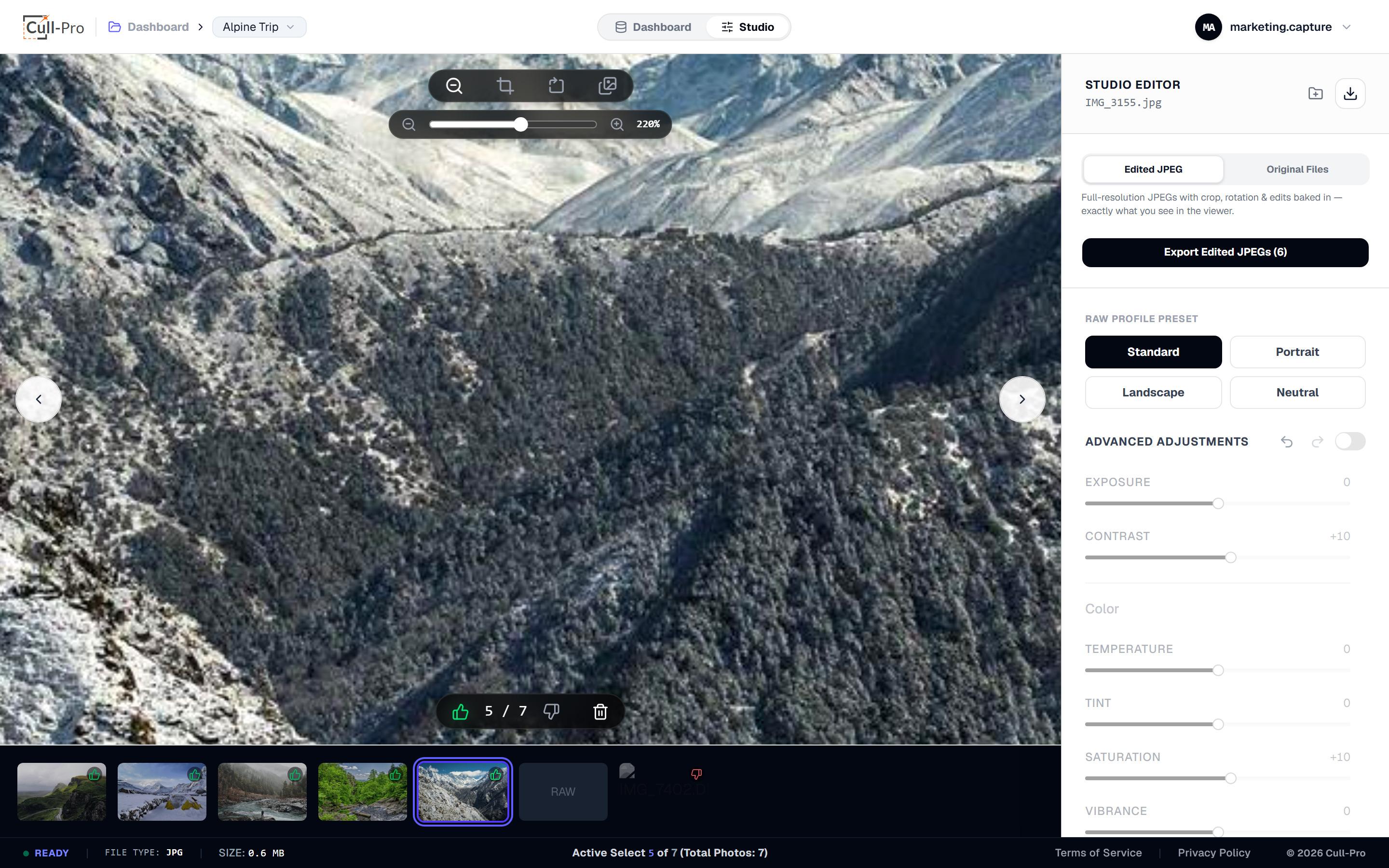
Everything is non-destructive: originals are never modified, edits live as per-file settings, and they bake in only when you export.
Exposure
−100 … +100
Contrast
−100 … +100
Temperature
−100 … +100
Tint
−100 … +100
Saturation
−100 … +100
Vibrance
−100 … +100
Highlights
−100 … +100
Shadows
−100 … +100
Sharpening
0 … 100
Noise reduction
0 … 100
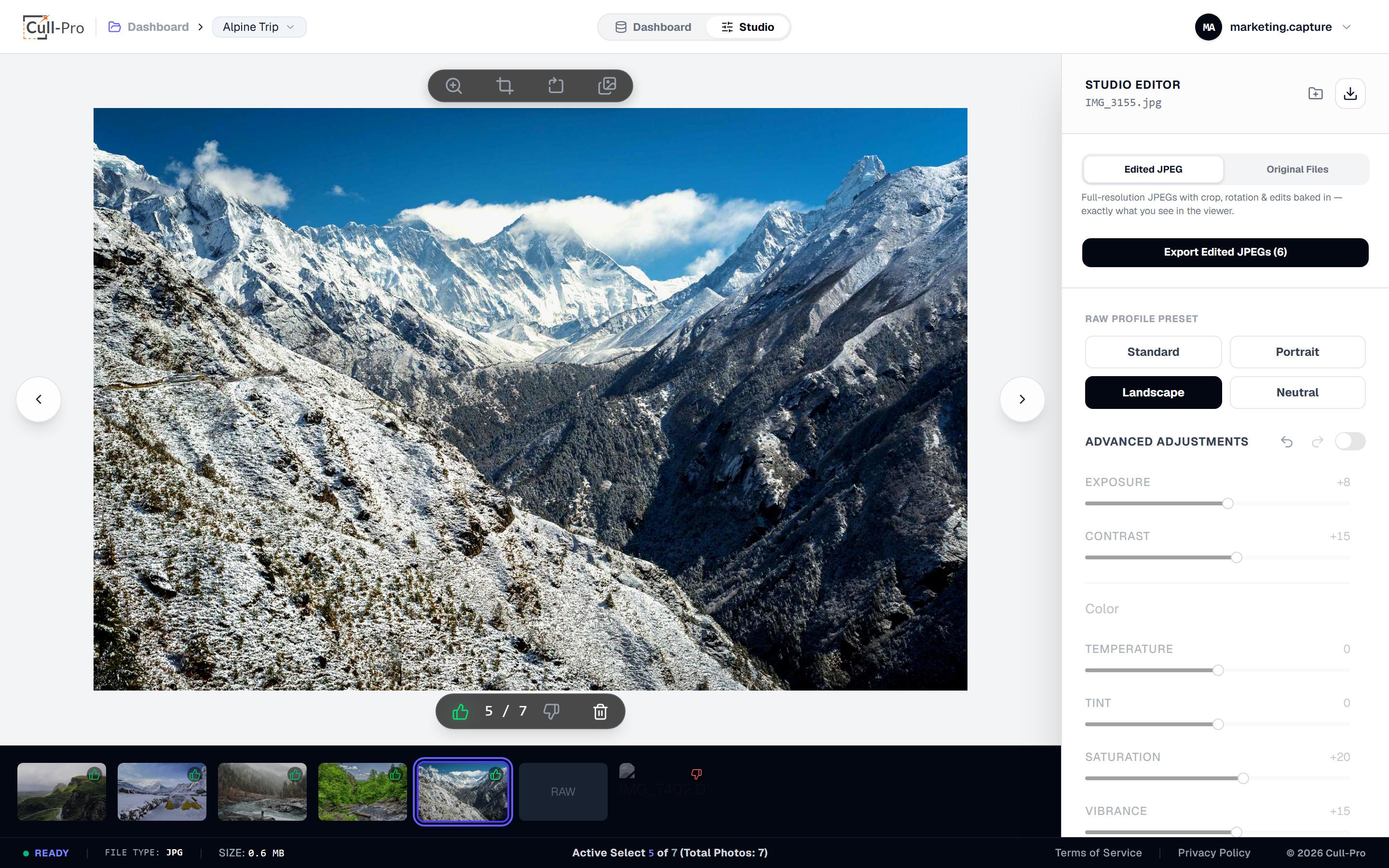
- Four one-tap looks: Standard, Portrait, Landscape and Neutral as a starting point.
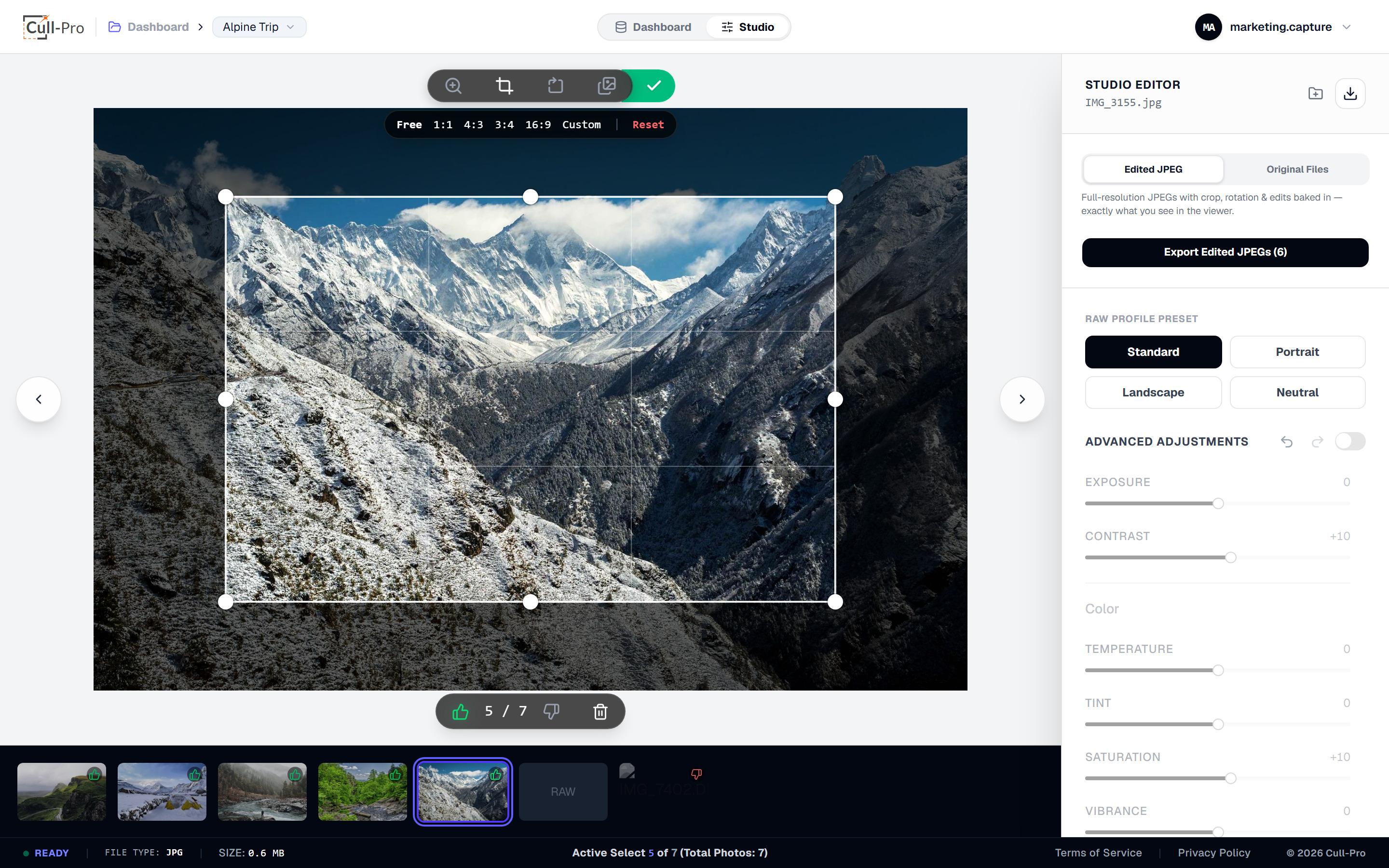
- Crop & rotate: free crop with rule-of-thirds grid, 1:1 / 4:3 / 3:4 / 16:9 presets and a custom ratio input, plus 90° rotation steps.
- Live preview + undo: adjustments render as you drag, with per-photo 100-step undo/redo — and everything auto-saves to the cloud.
Your photos aren't shipped to a render farm
- Two decode engines, on your device. UTIF handles Canon CR2, Adobe DNG and TIFF with no WebAssembly download, and LibRaw 0.22 (WebAssembly, 900+ camera models) decodes 40+ RAW containers — Canon CR3, Nikon NEF, Sony ARW, Fuji RAF, Panasonic RW2, Olympus ORF, Sigma X3F, Phase One IIQ and the rest of the list above — inside a background Web Worker, with a main-thread fallback if a worker can't load.
- Big files, bounded. Sensors above 40 MP decode at half size to protect browser memory, and decompression-bomb dimensions are refused outright.
- Processing happens on your machine. Decode, preview and edit all run client-side — your originals are stored in the cloud as your backup, not sent away to be processed.
- Fast thumbnails. Filmstrip previews come from the camera's embedded JPEG; containers without one (like CR3, X3F and MRW) get a thumbnail generated from the decoded RAW render instead.
- Full-res exports, always. Adjustments, crop and rotation bake from the full RAW data at export — never from a preview.
Deliverables out, originals safe
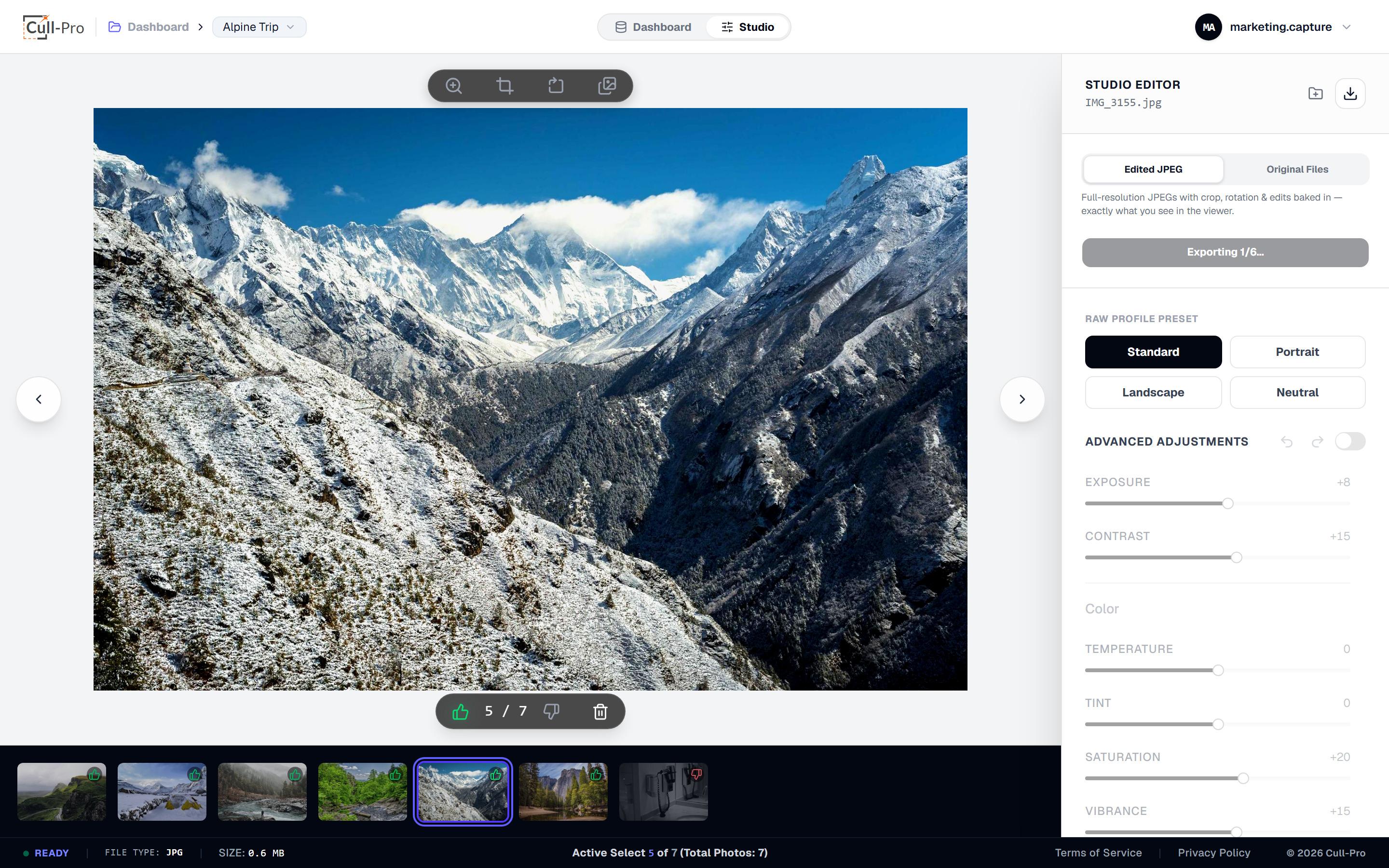
- Edited JPEGs with everything baked in — crop, rotation and every adjustment, at full resolution.
- Batch ZIP export of a selection or all of your keeps, with live progress while it builds — or skip the download entirely and deliver via a private client gallery link instead.
- Originals mode — download the untouched source files for archive or handoff, either singly or batched.
Deliver the finished set as a private link
One link per project. Clients open it on any device — no account, no app — and you control exactly what they can see and save.
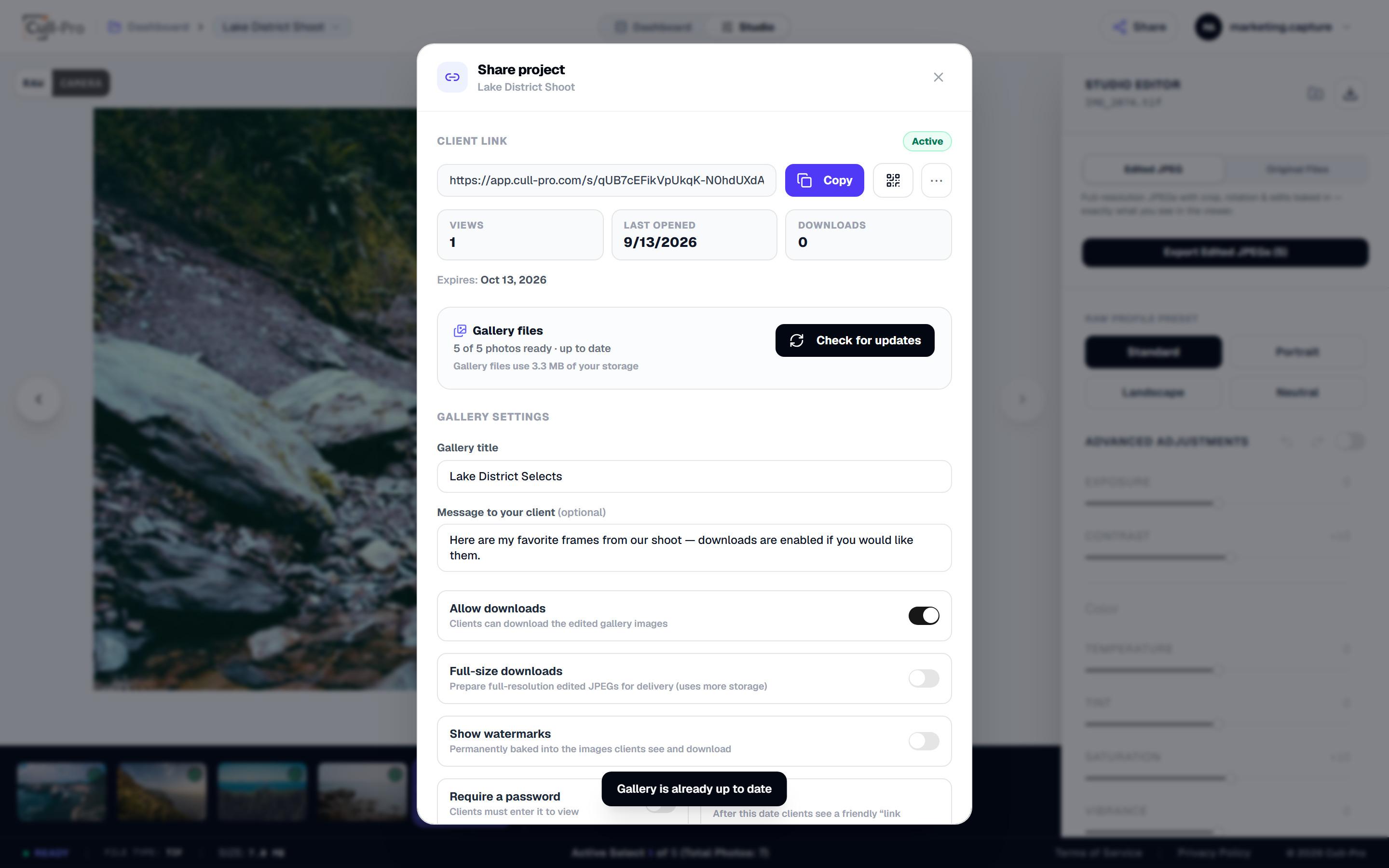
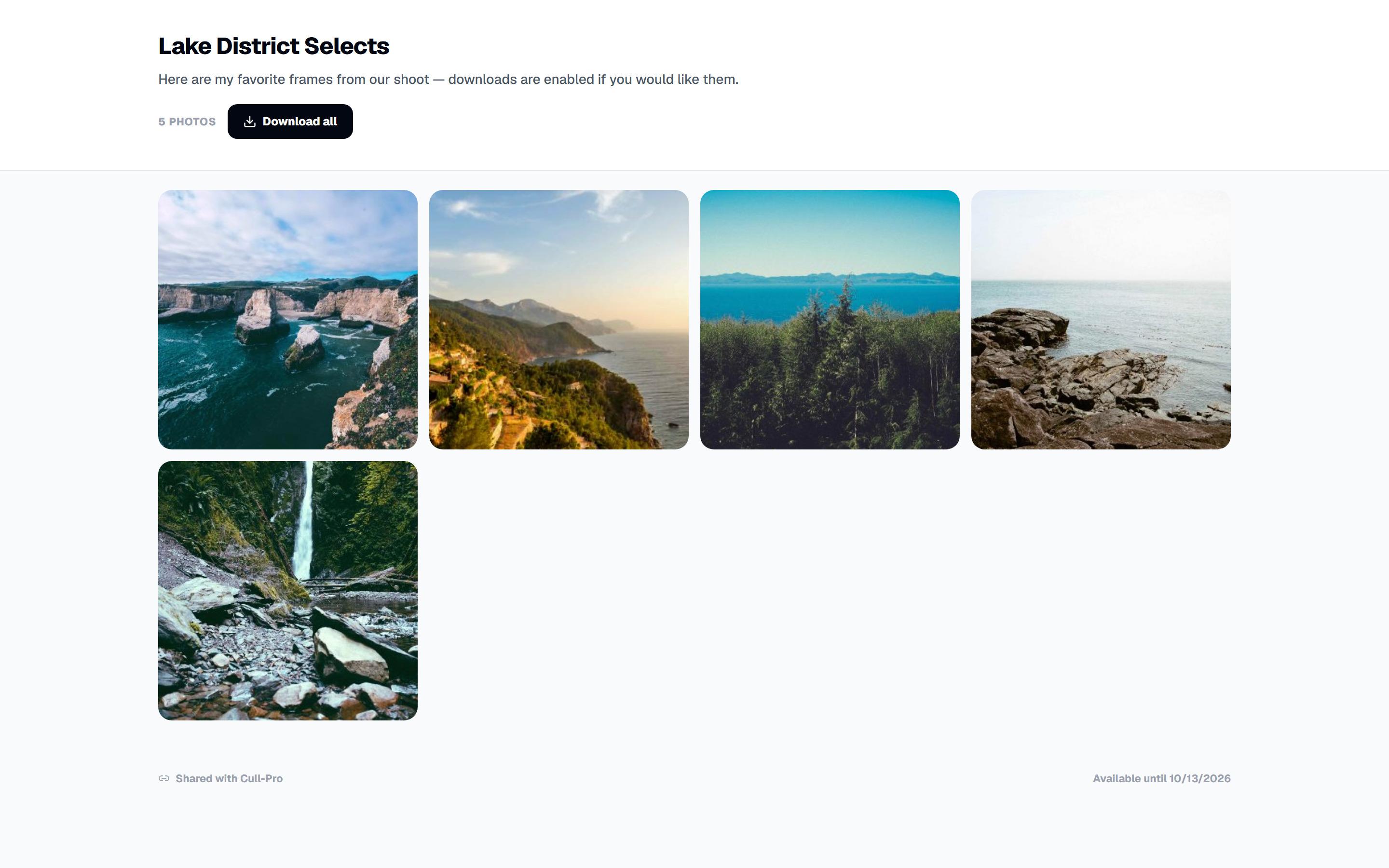
- Private link: one per project, at app.cull-pro.com/s/… — regenerate it anytime and the old URL dies instantly.
- Gallery content: clients see the photos you haven't hidden — hiding a photo later removes it from the gallery automatically.
- Optional password: with brute-force lockout, and access sessions that never outlive the link.
- Optional downloads: web-size edited JPEGs (~2048 px) by default; full-resolution files are a one-time “prepare” pass you run in your browser.
- Baked watermarks: show watermarks with optional custom text — baked into the images clients see and can save, not a removable overlay.
- Link expiry: 24 hours, 7 / 30 / 90 days, a custom date, or never — expired links show clients a friendly expired page.
- Pause, regenerate, revoke: pause and resume a link, issue a new token, or delete the link and all rendered gallery files.
- Gallery page: responsive grid plus a full-screen viewer with keyboard navigation — and nothing for clients to install.
- QR code & stats: scannable hand-off for phones, plus view count, last-opened date and download count in the share panel.
- Rendered on your device: gallery images (thumbnail, web and full sizes) are rendered in your browser with edits and watermarks baked in; RAW decoding never runs on the client's device.
Sharing is client delivery, not collaboration: no client accounts, uploads, favorites or comments, and links are never emailed for you — you copy the link or QR code and send it yourself. Only edited JPEGs are exposed; RAW originals stay private. Rendered gallery files count toward your plan's storage, and if you add or edit photos later, update the gallery so clients see them.
Organized, synced and always where you left it
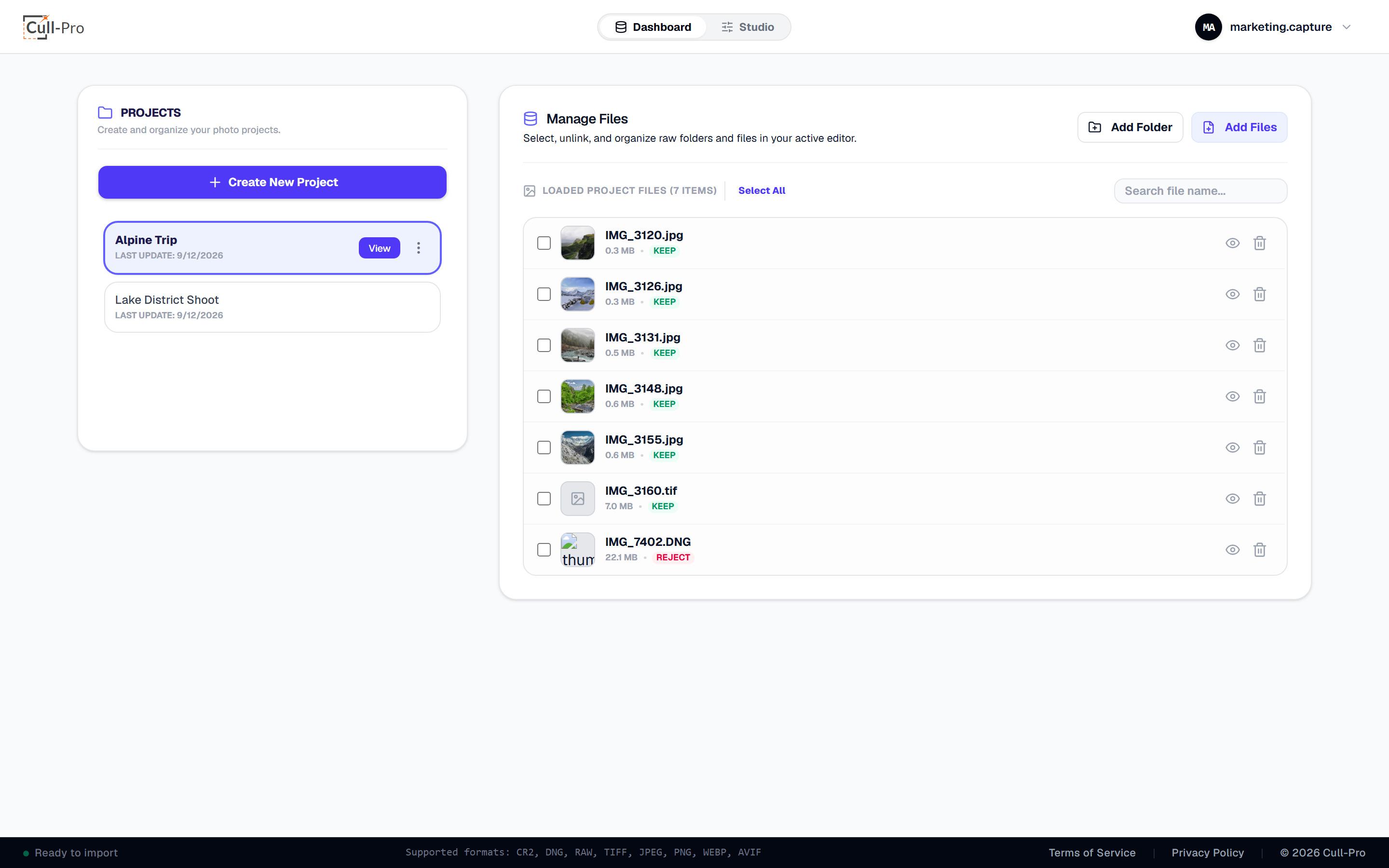
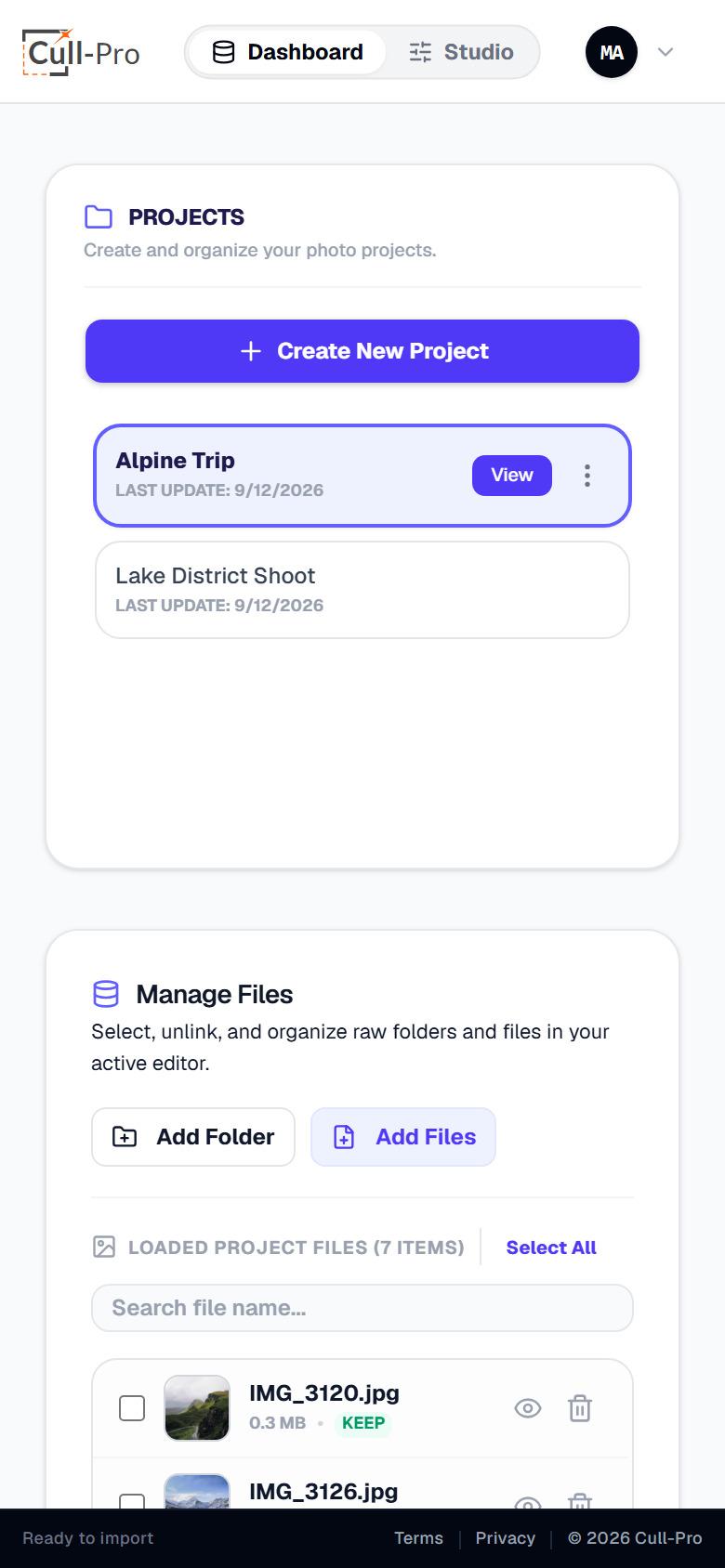
- Unlimited projects with create, rename and delete — plus a confirmation step before anything is removed.
- Manage Files gives you search, multi-select, bulk rating and bulk removal for any project.
- Pick up anywhere. Reopen a project from any device, and you land back on the photo you were last viewing.
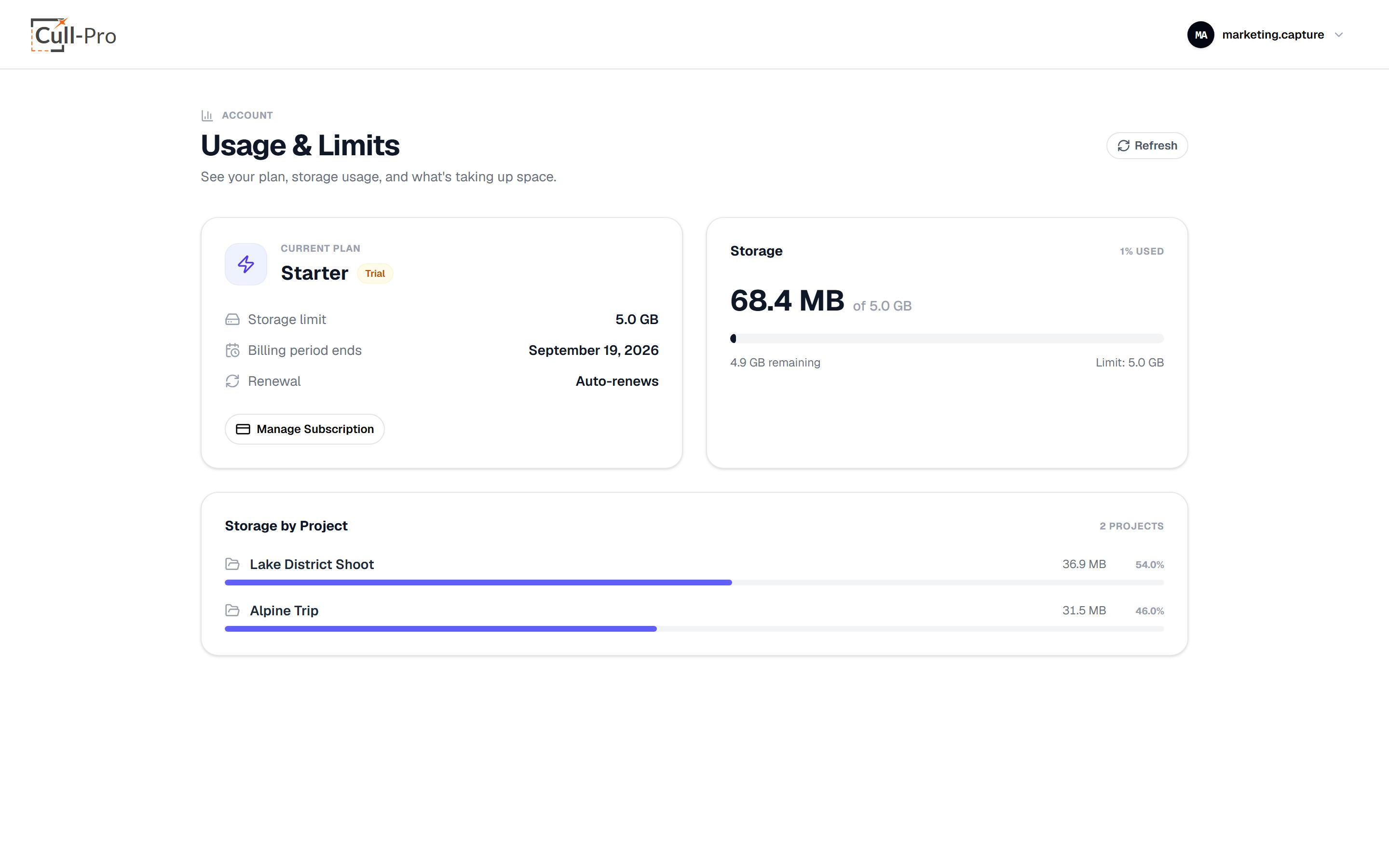
- Usage you can see. The usage page shows your plan, storage used vs. limit, and a per-project breakdown.
- Internet required. Cull-Pro is not an offline tool — your library lives in your cloud storage, so you'll need a connection.
Same app, smaller screen
- The dashboard and viewer adapt to smaller screens, and on phones the edit panel becomes a collapsible bottom sheet with Adjustments and Export tabs.
- Crop, pan, the zoom slider and the compare divider are all pointer- and touch-driven.
- Runs in modern Chromium, Safari and Firefox class browsers. There's no native iOS or Android app — the browser is the app.
Prefer numbers? See plans and storage.
Stripe-hosted checkout in USD, self-serve upgrades, downgrades and cancellation from the billing portal, and a 7-day free trial on Starter. An active or trialing plan is required to use the app.
View pricingReady to fly through your next cull?
Create an account, start the 7-day free trial on Starter, and get from memory card to deliverable without leaving your browser.
All prices in USD. Cancel anytime.