
Cull-Pro for wildlife & bird photographers
Cull thousands of frames down to the one that flies
Wildlife shooting is a ratio game: thousands of frames per outing, a keep rate under five percent, and a winner decided by feather detail and one perfect wing position. Cull-Pro is built for the ratio — keyboard decisions on full-resolution RAW, wipe-compare for identical bursts, and zoom deep enough to check the eye.
7-day free trial on Starter · Unlimited projects on every plan
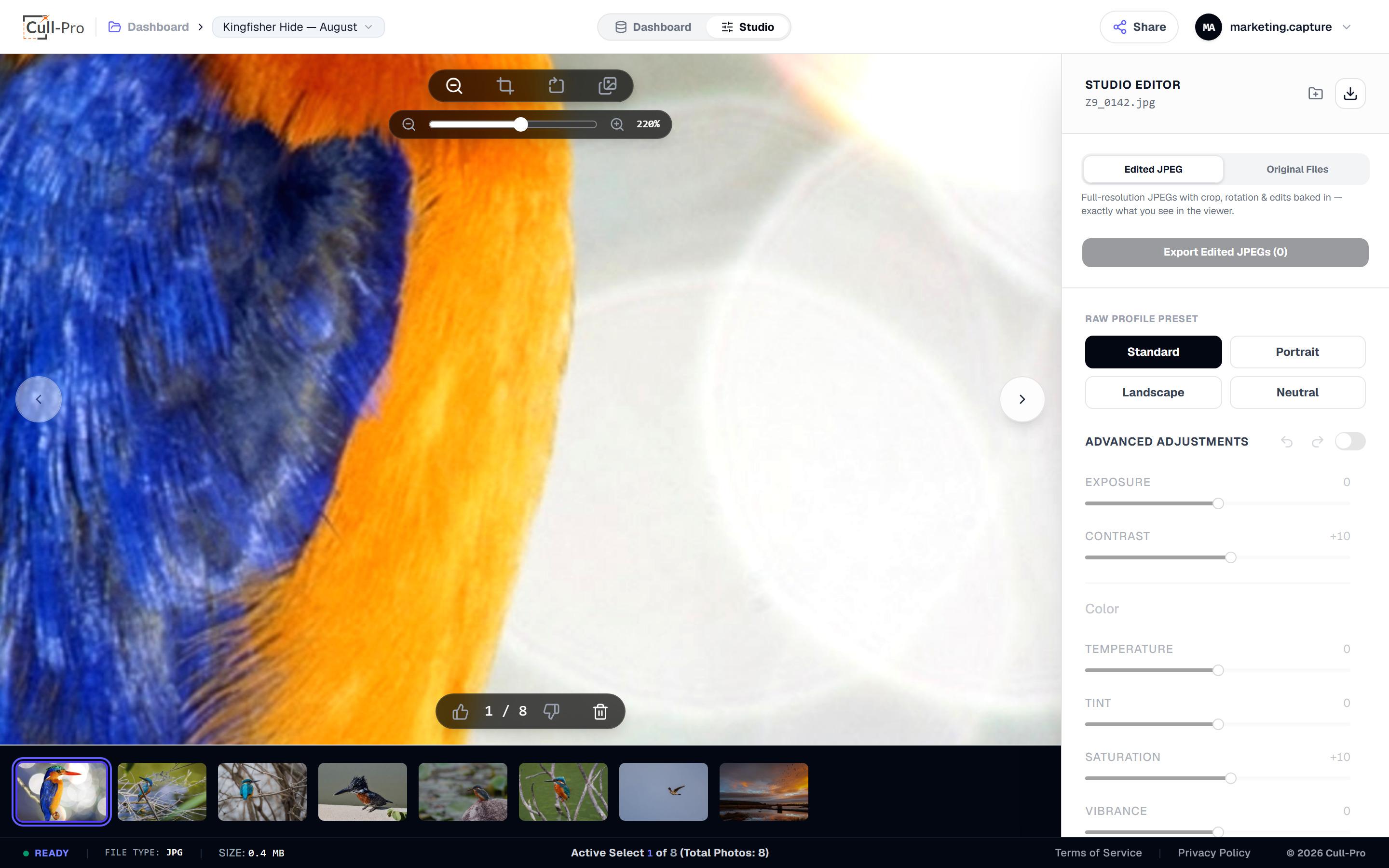
Zoom to +400% and pan pixel-to-pixel — the eye decides which frame stays.
The problem
The ratio is brutal — 2,000 in, 40 kept
01
Identical frames, one winner
A kingfisher dive at 20 fps is thirty frames that look the same in a grid — and one that doesn't. Finding it shouldn't cost you the evening.
02
The detail has the final say
Focus lands where it lands. You need feather, eye and catchlight at pixel level, fast, before a crop even enters the conversation.
03
Every outing compounds
Two cards per trip, every weekend. A backlog of unculled outings is a backlog of photographs nobody will ever see.
The workflow
How an outing moves through Cull-Pro
From memory card to archive of keepers — every step on your machine, every verdict saved as you go.
Decode every container
From card to browser: Canon CR3, Nikon NEF, Sony ARW, Fuji RAF, Olympus ORF, Panasonic RW2, DNG and 40+ RAW containers decode on your machine with LibRaw 0.22 (900+ camera models). No catalog import, no preview queue.
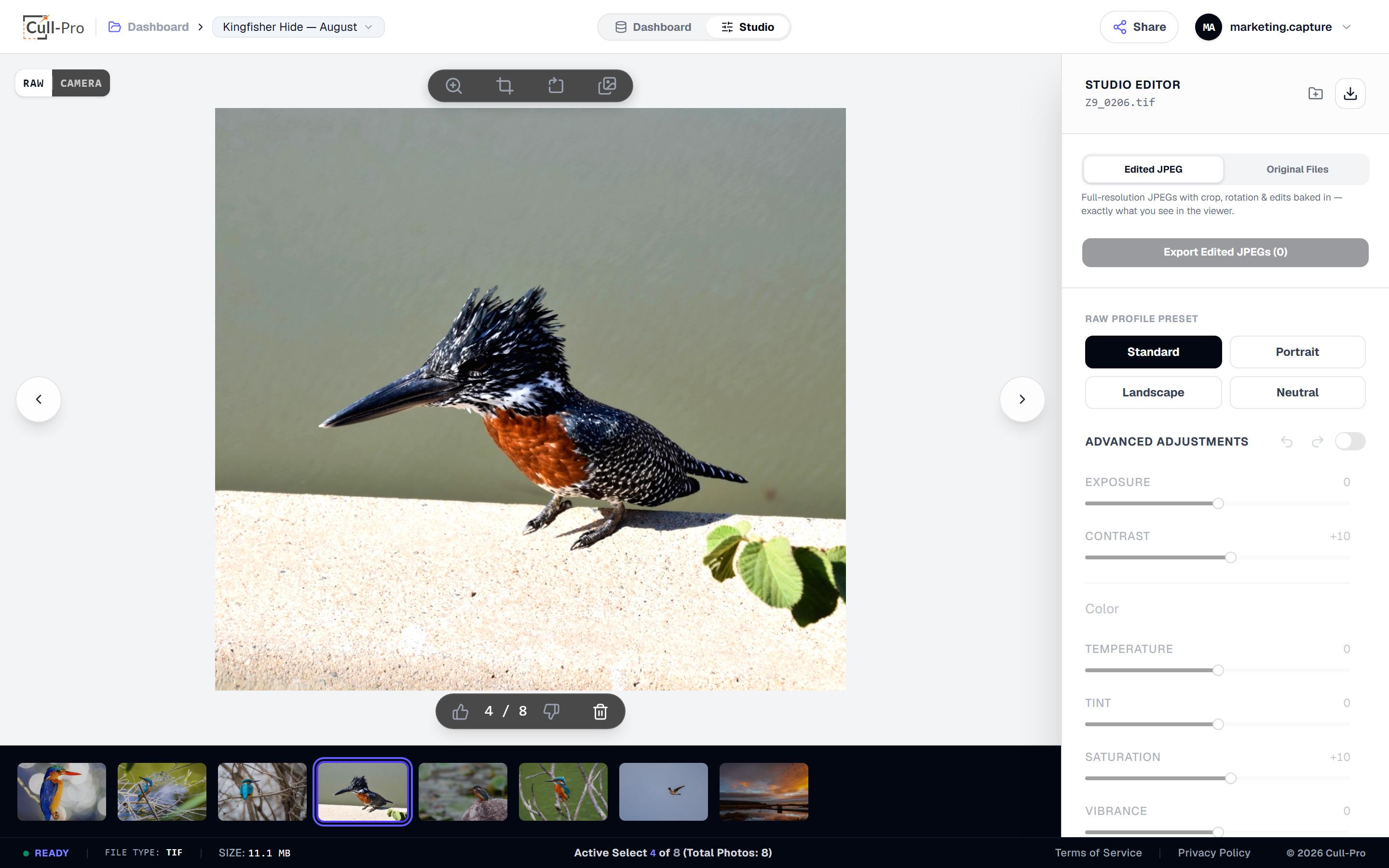
Cull at keyboard speed
L or F keeps, K or X rejects, arrows fly — and every verdict auto-saves to the cloud. Filmstrip thumbnails come from the camera's embedded preview, so they're up before you've made the first call.
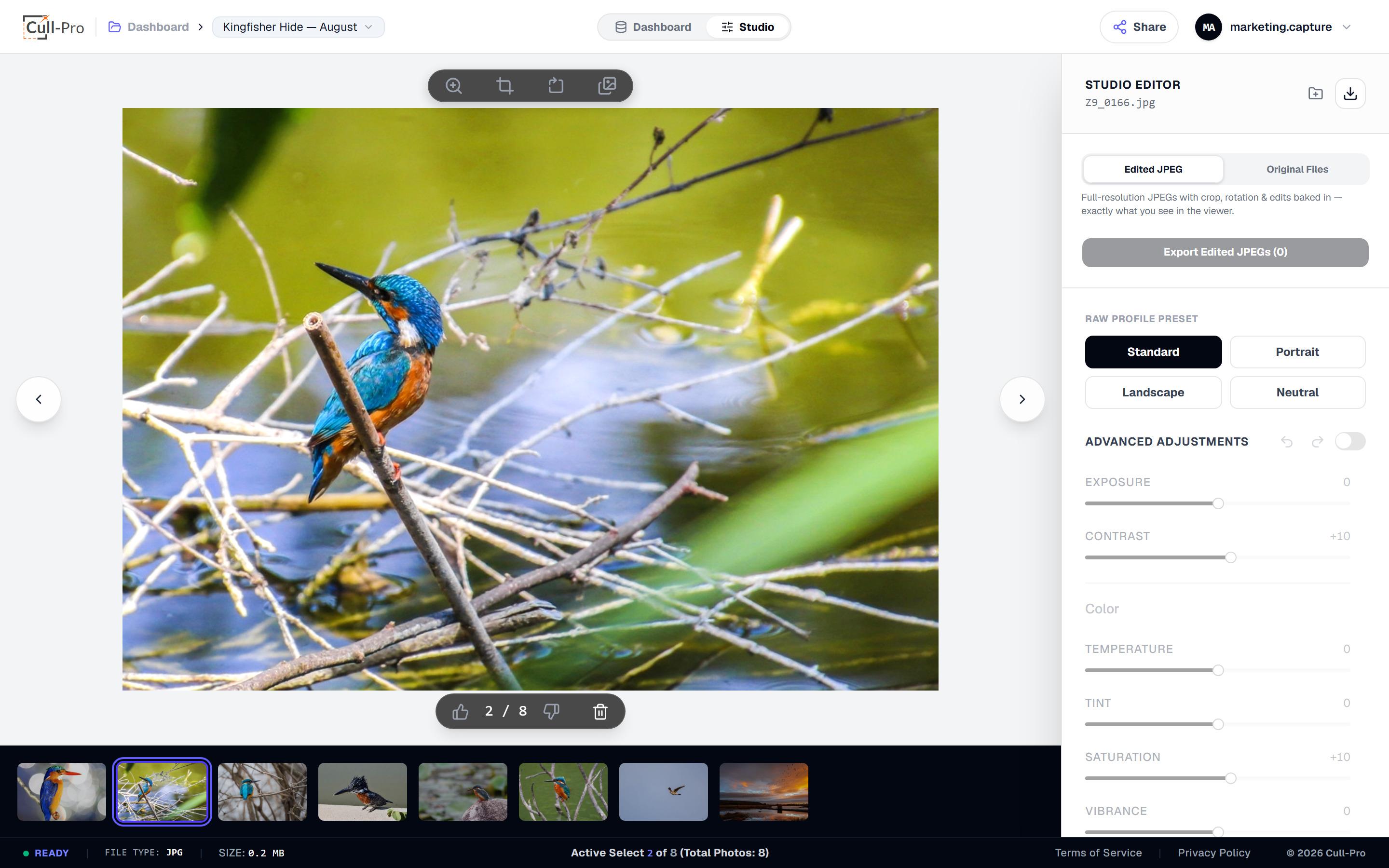
Compare, verify, export
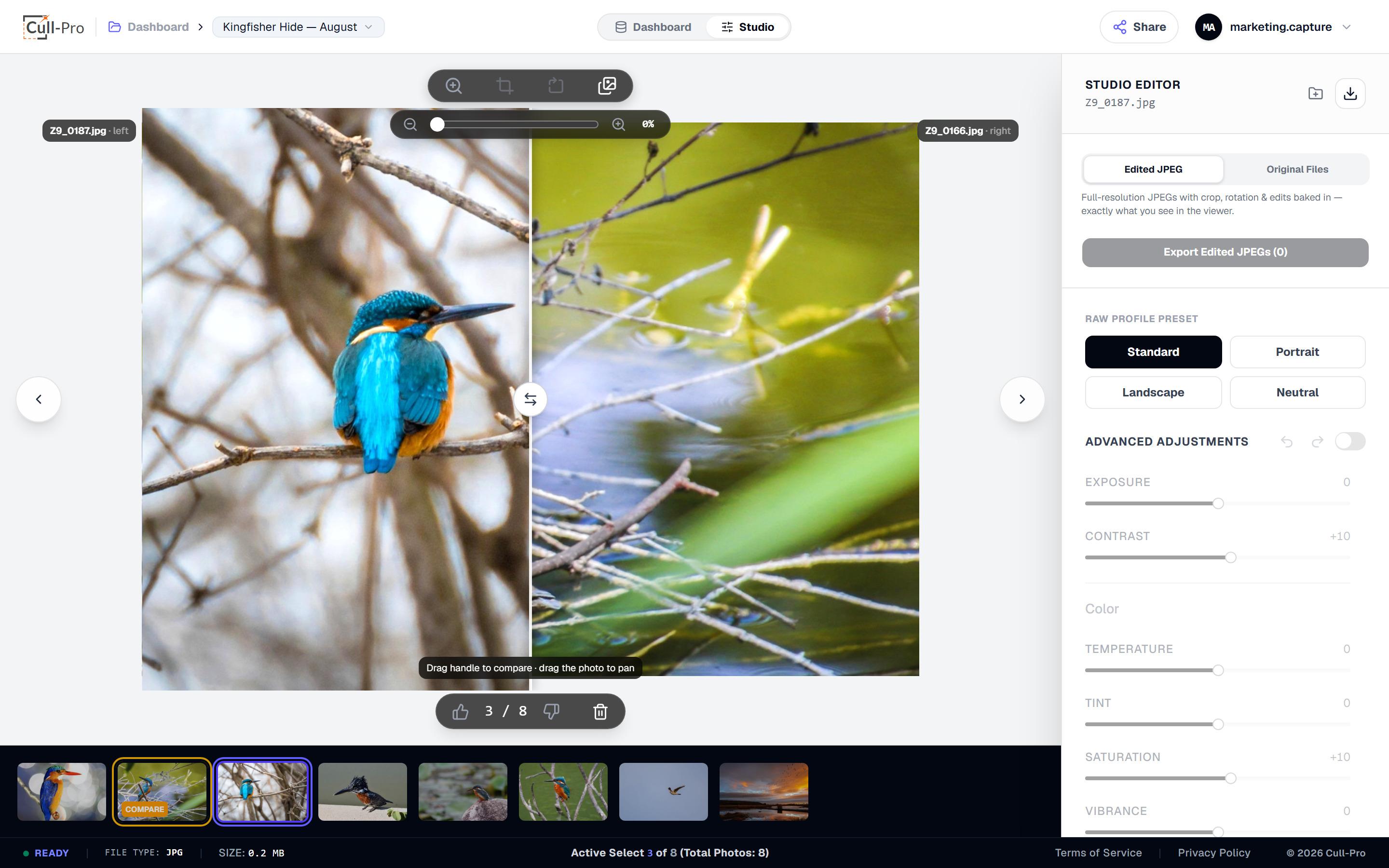
Wipe-compare identical frames side by side, zoom to +400% on the eye, then export keepers as full-resolution edited JPEGs or originals for archive — rendered from real RAW data, never a preview.
Why Cull-Pro
Designed around a 5% keep rate
Culling-first, honest about scope, and fast where it counts — so a stack of cards becomes a folder of keepers.
Binary decisions, one keystroke
Keep or reject — no star ratings, no scoring matrix at 1 a.m. 100-step undo means mistakes cost one keystroke too.
Real RAW decoding, on your machine
Full-resolution decode in a background Web Worker with a main-thread fallback. Previews, edits and exports all come from the RAW — not a JPEG thumbnail.
Huge files bounded, exports full
Above 40 MP, decode runs at half size to protect browser memory, and decompression-bomb dimensions are refused outright. Exports still render from full-resolution RAW data.
Wipe-compare wingbeats
Two frames at once, each keeping its own edits, with zoom and pan synced while you flip.
No AI, no auto-culling
Every decision is yours. Cull-Pro doesn't guess your best shot — it just keeps up with you. Exotic or encrypted RAW files may fall back to the camera's embedded preview.
Pick it up anywhere
Originals live in your cloud storage, so a cull started at the desk finishes on the sofa — an internet connection is required.
FAQ
Wildlife & Bird Photographers, answered
Ready to fly through your next cull?
Create an account, start the 7-day free trial on Starter, and get from memory card to deliverable without leaving your browser.
All prices in USD. Cancel anytime.